Create a section and a template with the API
Create a Section and a Template through the Studio API, then open the Template in the canvas. You need this when your own code, not Studio, has to write them.
The example is the Blog project. You create the Post body Section, then the Featured post Template, which places the Post hero and Post body Sections.
Prerequisites
- A project and its UID. Manage projects with the API creates one. The example project's UID is
0123456789abcdef01234567. - The UID of the organization that owns the project, and a token that can write to the project's connected stack. Make your first call sets up both.
- The Post hero Section. The Template names Sections by entry UID, so Post hero has to exist before you create the Template. Build sections builds it.
- The Blog post content type, with a
bodyfield. The API doesn't check that the field exists. - The BlogBody component, registered in your app as
blog-body. The API only warns about a type it doesn't know, but the canvas can't render the node until your app registers it. List the components a project has synced shows what the project has. - To open the Template in the canvas, a route in your app that renders Templates. See Wire template preview routes.
The curl commands on this page read an OAuth access token from CS_ACCESS_TOKEN. With a session token, send the header authtoken in place of authorization: Bearer. The commands call the AWS NA host. For your region, see Base URL for each region.
What this is and what you get
You send each Section or Template as JSON. The API checks the layout, compresses ui, and saves the composition as an entry of the project's Compositions content type, compositions, in your stack. Studio saves its own compositions in the same place.
- You send
uias a JSON object. The API compresses it, sozlib:appears only when you read a composition back. - The API works out
linked_sectionsfrom your layout, so you never send it. - Each create answers
201withnotice,compositionand, only when there are warnings,warnings. - A create leaves the entry unpublished. The API never publishes, and the Studio API has no deploy route. Deploy the template covers Deploy.
The routes on this page are the two create routes and one list route.
| Method | Path after /v1/projects/{projectUid}/compositions | What it does |
|---|---|---|
POST | /sections | Creates a Section. |
POST | /templates | Creates a Template. |
GET | /sections | Lists Sections only. |
For every field and parameter, see Composition routes.
You end with a Featured post Template that places Post hero and Post body, open in the canvas.
Faster ways to do this
- Studio creates a Section or a Template with no JSON. It also writes a new Template's
urlandurl_metadatafor you, which the API doesn't. See Build sections and Create a template. csdx studio:section:createturns one component into a Section bound to a content type. It's always interactive. See Generate a section from a component.csdx studio:composition:buildplans a Template or a Section from a design, then creates what you approve. It never publishes. See Generate from a design.- The skill
use-compositions-apihas your agent create, read, list, update and delete compositions through the Studio API. Its first step settles an OAuth token. See Install the skills.
Both csdx commands need an OAuth login. They run against your active project, which the CLI asks you to pick if none is set.
Create the Post body section
To create the Post body Section, send its body to the /sections route. The route sets place_composition_as to section, so you don't send it. The API also drops url, connected_content_type and linked_sections from a Section body without an error.
Save this body as post-body-section.json. It's the Post body Section as Studio saves it, without those fields and with data_sources as an array. Studio makes 15-character node UIDs. This body uses readable ones, which the API accepts.
{
  "title": "Post body",
  "composable_uid": "post_body",
  "ui": {
    "uid": "post_body_root",
    "attrs": {},
    "type": "page",
    "metadata": {},
    "props": {
      "children": {
        "type": "slot",
        "slot": "body_slot"
      }
    },
    "slots": {
      "body_slot": [
        {
          "uid": "blog_body_1",
          "attrs": {},
          "type": "blog-body",
          "metadata": {},
          "props": {
            "body": {
              "type": "json_rte",
              "binding": {
                "type": "template",
                "value": {
                  "path": {
                    "body": {}
                  }
                }
              }
            }
          },
          "slots": {},
          "styles": {}
        }
      ]
    },
    "styles": {}
  },
  "data_sources": [],
  "schema_version": "1",
  "static_value": {
    "text": [],
    "href": [],
    "imageurl": []
  },
  "linked_schemas": [
    {
      "content_type_uid": "blog_post"
    }
  ]
}
uiis a JSON object, never a string. Its root node has the typepage, for a Section too. Composition JSON explains every key.- The
blog-bodynode'sbodyprop has the typejson_rte, because a JSON Rich Text field binds to ajson_rteprop. Its binding reads the Blog post'sbodyfield. - The API doesn't check that a binding's path names a real field, so check
bodyagainst your content type yourself. linked_schemaswithcontent_type_uidblog_postlinks the Section to the whole Blog post content type.data_sourcesis an array of objects.[]is right when nothing is bound, and a string answers400.composable_uidis the Section's stable ID. If you leave it out, the API sets it to the entry UID.schema_versionandstatic_valueare as Studio writes them.
Send it.
curl -i -X POST "https://composable-studio-api.contentstack.com/v1/projects/0123456789abcdef01234567/compositions/sections" \
  -H "authorization: Bearer $CS_ACCESS_TOKEN" \
  -H "organization_uid: blt2222222222222222" \
  -H "Content-Type: application/json" \
  --data @post-body-section.json
The call answers 201. Copy composition.uid from the answer. It's the Section's entry UID, blt6666666666666666 in the example, and the Template places the Section by it.
The answer also has one warning in warnings.
Node type "blog-body" is not a built-in. It must be registered via registerComponent, or it renders as "unknown component".
The API doesn't know this type. That's expected for your own components, and it doesn't stop the save. Check that blog-body is the name your app registers.
Create the Featured post template
To create the Featured post Template, send its body to the /templates route. The route sets place_composition_as to page, so you don't send it.
The Template places Post hero and Post body by entry UID, not by composable_uid. You have Post body's UID from the last step. To get Post hero's, list the Sections with composable_uid=post_hero.
curl "https://composable-studio-api.contentstack.com/v1/projects/0123456789abcdef01234567/compositions/sections?composable_uid=post_hero" \
  -H "authorization: Bearer $CS_ACCESS_TOKEN" \
  -H "organization_uid: blt2222222222222222"
Copy the uid of the Section in compositions. In the example, Post hero's UID is blt5555555555555555.
Save this body as featured-post-template.json, with your own Section UIDs in place of the example ones.
{
  "title": "Featured post",
  "composable_uid": "featured_post",
  "connected_content_type": "blog_post",
  "url": "/blog/featured",
  "ui": {
    "uid": "featured_post_root",
    "attrs": {},
    "type": "page",
    "metadata": {},
    "props": {
      "children": {
        "type": "slot",
        "slot": "template_slot"
      }
    },
    "slots": {
      "template_slot": [
        {
          "uid": "post_hero_placed",
          "attrs": {},
          "type": "section-composition",
          "metadata": {
            "compositionUID": "blt5555555555555555"
          },
          "props": {},
          "slots": {},
          "styles": {}
        },
        {
          "uid": "post_body_placed",
          "attrs": {},
          "type": "section-composition",
          "metadata": {
            "compositionUID": "blt6666666666666666"
          },
          "props": {},
          "slots": {},
          "styles": {}
        }
      ]
    },
    "styles": {}
  },
  "data_sources": [],
  "schema_version": "1",
  "static_value": {
    "text": [],
    "href": [],
    "imageurl": []
  },
  "url_metadata": {
    "url_queries": "{\"include\": [], \"only\": {}, \"where\": {}}",
    "url_source": "user_specified_pattern"
  }
}
- Each placed Section is a node of type
section-composition. Itsmetadata.compositionUIDholds the Section's entry UID. - The API checks that
compositionUIDis set. It doesn't check that it names a real Section, so check both UIDs before you send. - You don't send
linked_sections. The API fills it with each Section the layout places, so there's no second list to keep in line. connected_content_typeconnects the Template to Blog post, andurlis the Template's URL pattern. See How template URLs work.- Studio writes
urlandurl_metadatafor a new Template. The API doesn't, so you send them.url_queriesis a JSON string, because Studio parses it withJSON.parse. - Without
url_metadata, the API still answers201. Studio then treats the Template aslegacy_url, so a connected Template needs a preview entry with aurlvalue.
Send it.
curl -i -X POST "https://composable-studio-api.contentstack.com/v1/projects/0123456789abcdef01234567/compositions/templates" \
  -H "authorization: Bearer $CS_ACCESS_TOKEN" \
  -H "organization_uid: blt2222222222222222" \
  -H "Content-Type: application/json" \
  --data @featured-post-template.json
The call answers 201. Copy composition.uid again. It's the Template's entry UID, blt7777777777777777 in the example. The answer has one warning, telling you to make sure linked_sections references every placed Section. The API fills that list itself, so there's nothing to change.
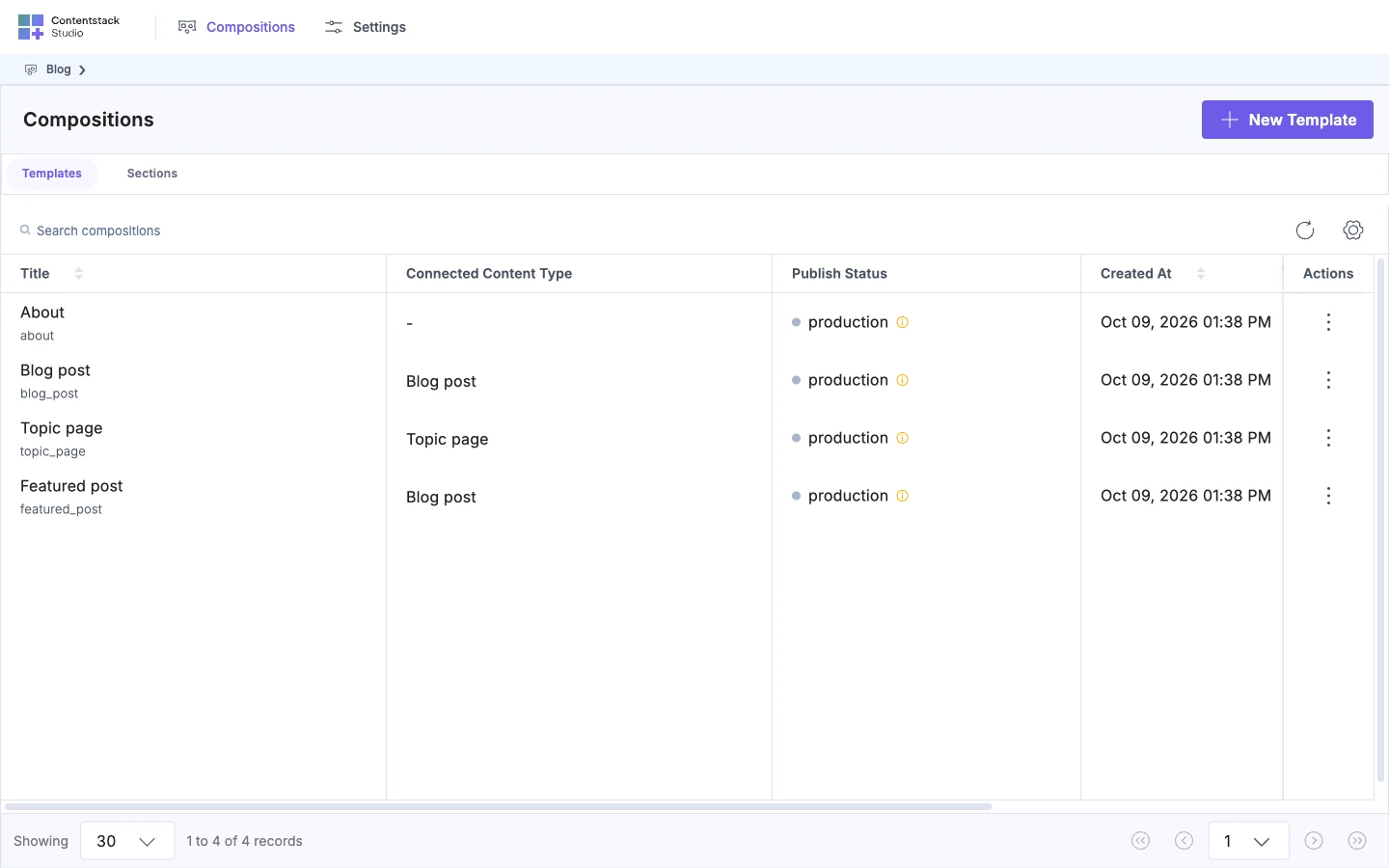
Open the Templates tab in Studio. Featured post is in the list next to Blog post, because Studio lists an entry as a Template when its place_composition_as is page.
What the API doesn't catch
The API checks the shape of a layout. It accepts each mistake below, and each one fails without an error from the API. Check them before you send.
| The mistake | What happens | What to check |
|---|---|---|
A slot prop whose slot matches no key in slots | The node renders no children. | Each props.<name>.slot has a matching key in slots. |
A repeaterUID that names no enclosing Repeater | The prop shows its default. | Each repeaterUID equals the uid of a Repeater above the node. |
A pinned entry or query that the Section's data_sources doesn't list | The binding shows the prop's default. | Each contentstack and contentstack_queries binding has an item in data_sources. |
| A binding path that names a field your content type doesn't have | The API saves it without an error. | Each path against your content type. |
A compositionUID that isn't a Section's entry UID | The node shows the error Component with type '<uid>' is not registered. | The UID is the Section's entry UID, not its composable_uid. |
A node type your app doesn't register | The API warns and saves it. The canvas shows a Component Loading Error box. | Every type, such as blog-body, is registered in your app. |
| A reference field with no include path | Each referenced entry arrives as a stub with only uid and _content_type_uid. | The field is in resolvedReferences in data_sources, or a reference Condition Block sits inside the Repeater. |
Open the template in the canvas
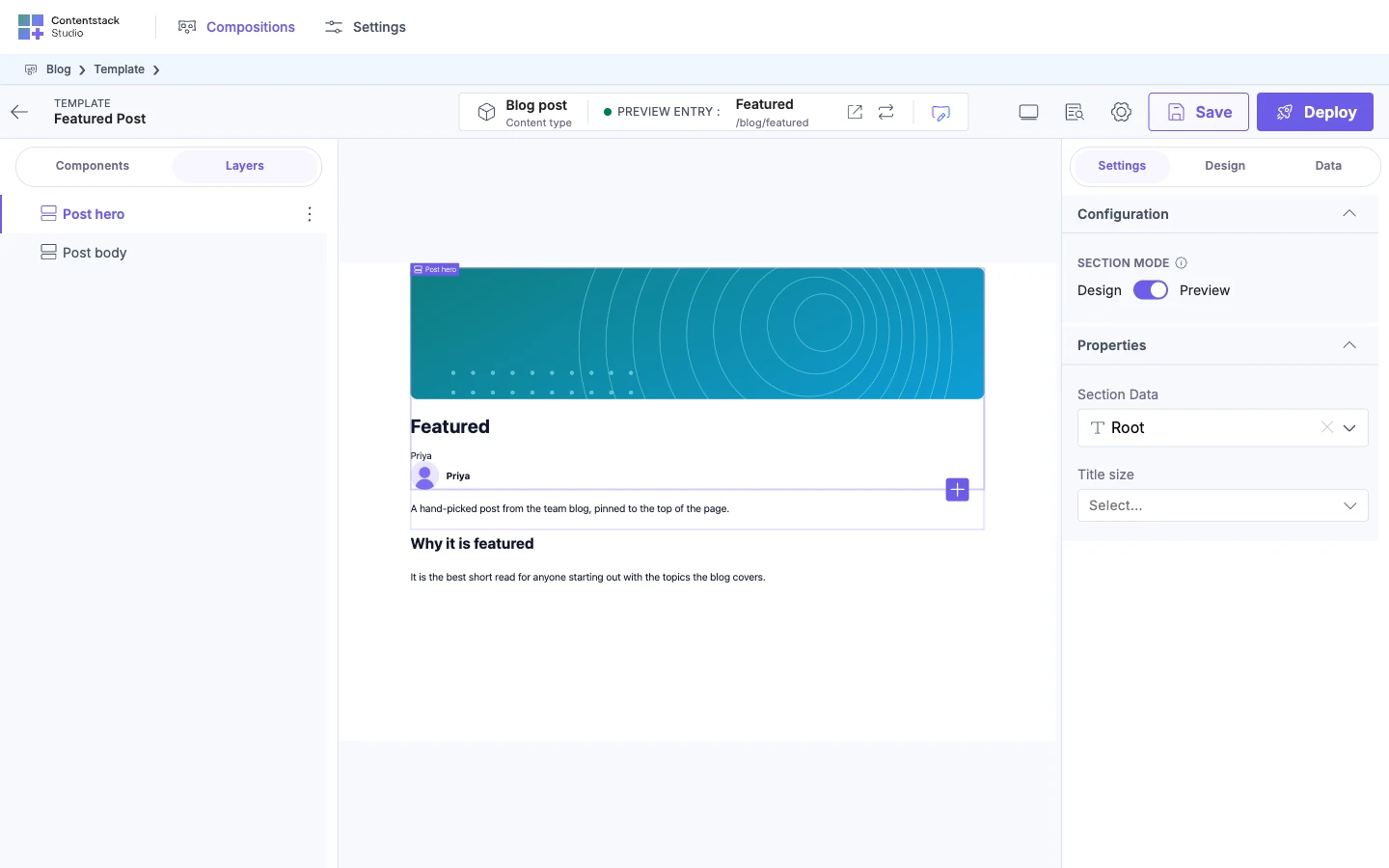
To see Featured post in the canvas, open it from the Templates tab. Studio opens the Template at an address that ends in /projects/0123456789abcdef01234567/canvas/blt7777777777777777. The last part is the entry UID, not featured_post.
Studio builds the address of your site from the Base URL, which is the environment's URL for the selected language. For a connected Template such as Featured post, it fills the URL pattern from a preview entry of the connected content type, Blog post. The editor opens the Template without a publish.
Studio opens Featured post and loads your site in the canvas. If a card appears at the bottom right of the canvas, find its title in If it doesn't work.
If it doesn't work
The table covers a failed API call. A problem on the canvas shows as a card, listed after the table. API errors and validation lists every status code and layout rule.
| You see | What's wrong | What to do |
|---|---|---|
400 with "ui must be an object" | You sent ui as a string, such as a zlib: string. | Send ui as a JSON object. The API compresses it. |
400 with "error": "Bad Request" | A field is missing, has the wrong type or isn't allowed, such as a missing title or data_sources as a string. | Send title, ui as an object and data_sources as an array. |
401 with error code 39 | Neither an authtoken nor an authorization: Bearer token reached the API. | Send one of them on every call. |
404 with error code 1 | No project in this organization has that UID, or you can't read it. | Check the project UID, organization_uid and the host for your region. |
422 with error code 21 and "Stack not found" | Your token can't write to the project's connected stack. | Use a token with write access to that stack. |
409 with error code 47 | Another composition already has this title, and title is unique on the content type. A second Section titled Post body gets this. | Use another title. |
409 with error code 33 | Another composition already has this composable_uid, in any language. | Use another composable_uid, or leave it out. |
422 with error code 32 and "The composition is invalid" | The layout breaks a rule, and errors lists every broken path. | Fix each path in errors. See Layout rules the API checks on every write. |
422 with error code 32 and Slot "…" on node "…" is an empty array. Empty slots crash the renderer — populate it or remove the slot key. | A slot in ui is []. The editor writes [] for the root slot of a new composition, so a tree copied from an empty composition fails. | Put a node in the slot, or remove the slot key. |
422 with error code 32 and Placed section node "…" must set metadata.compositionUID. | A section-composition node has no metadata.compositionUID. | Set it to the Section's entry UID, not its composable_uid. |
Composition Not Found. Studio can't fetch the entry for the UID in its address. Open the Template from the Templates tab, and check that the address ends in the entry UID, not the composable_uid.
We couldn't load your website. Your site didn't load in the canvas within 30 seconds. Check that your site is running and that the environment has a URL for your language, then click Retry.
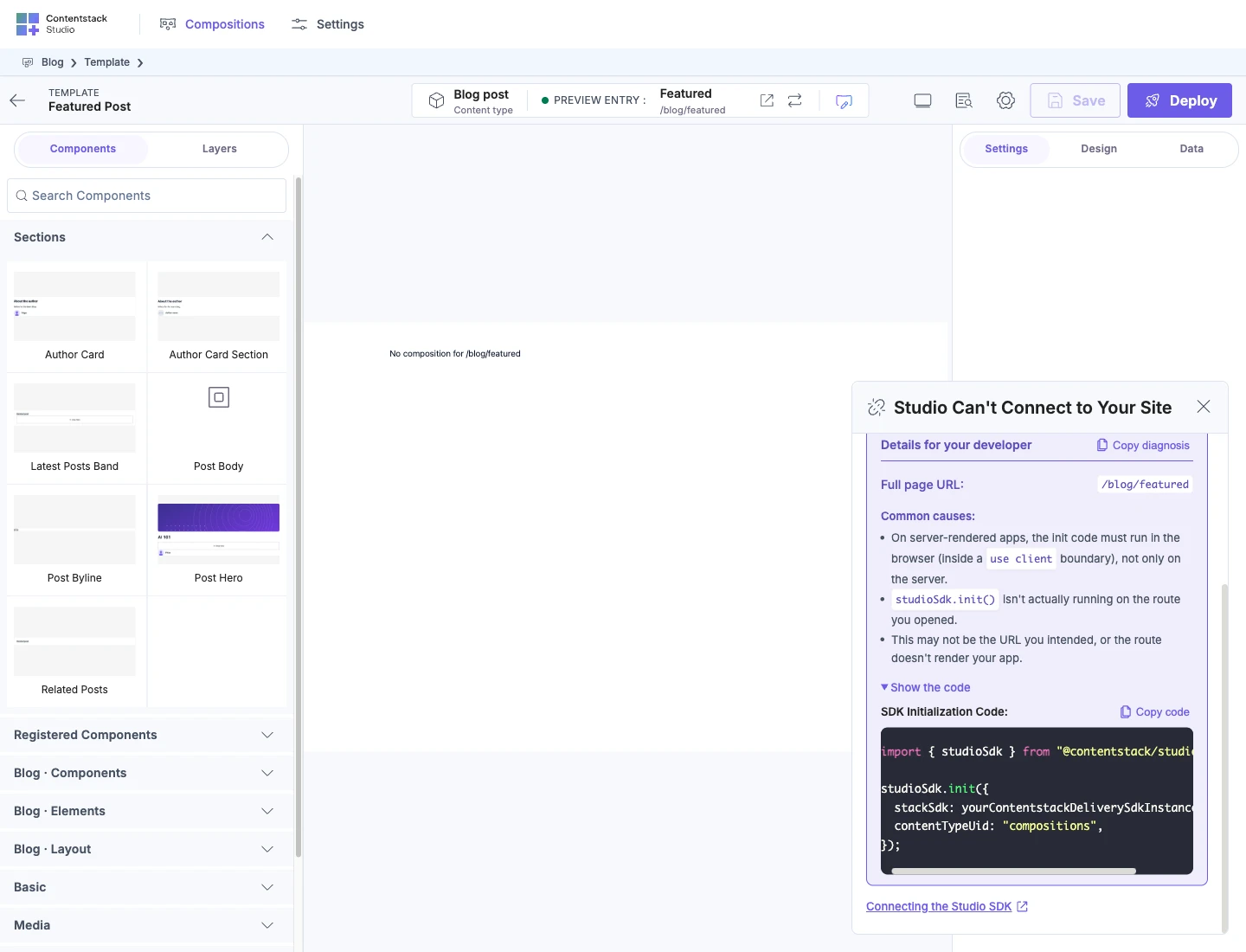
Studio Can't Connect to Your Site. Your site loaded, but Studio heard nothing from the SDK in 30 seconds. Check that your app calls studioSdk.init. Show the code on the card has the init code, filled with your project's content type UID.
Content Types Don't Match. The SDK connected with a different content type than the project's. The SDK reads compositions unless you pass another contentTypeUid to init, so pass the project's content type UID or leave it out.
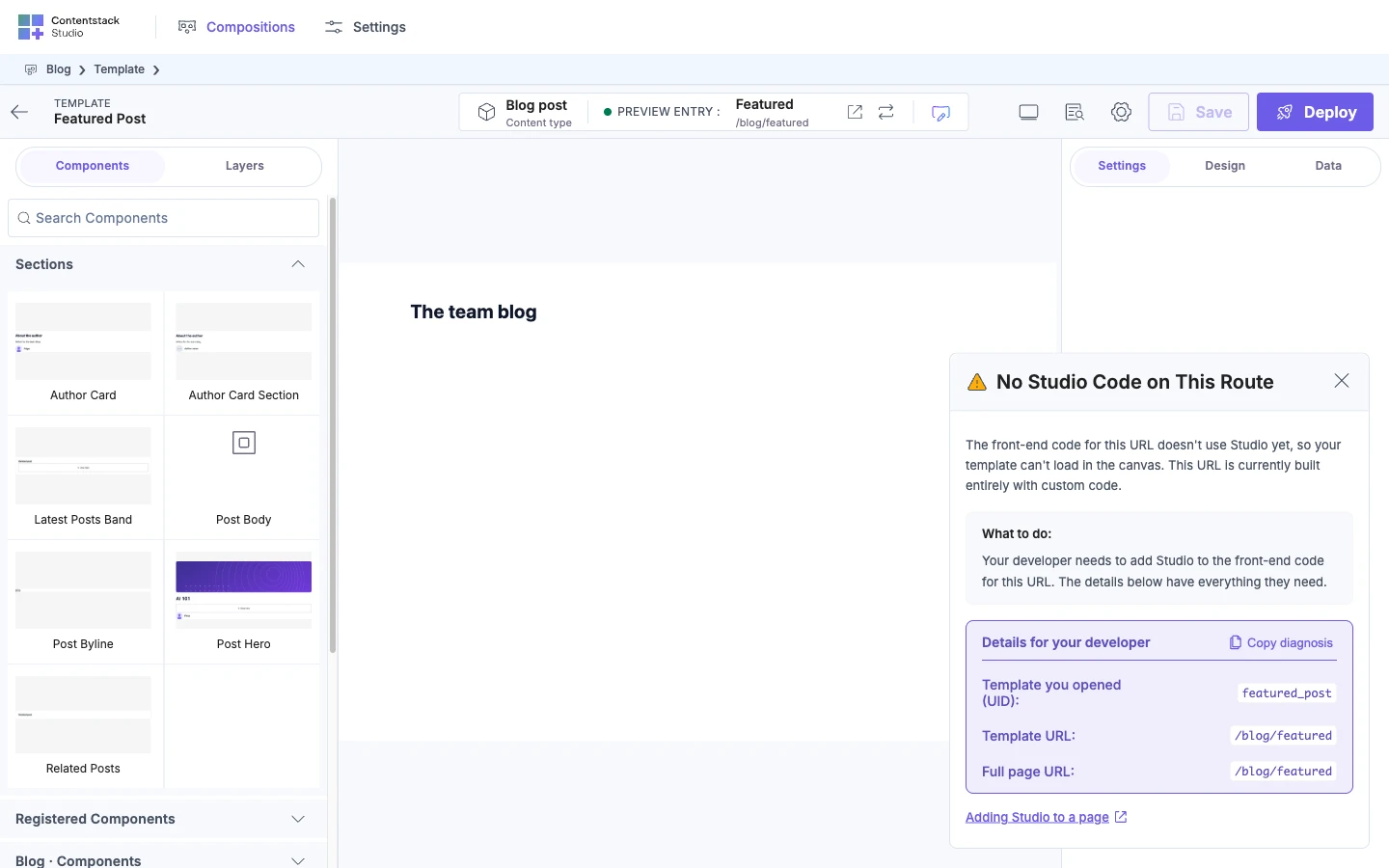
No Studio Code on This Route. The SDK connected, but the route renders no Studio code. Render the Template with StudioComponent on that route.
No entry matches this URL pattern. No entry of the connected content type has a value for every variable in the Template's url. Give an entry a value for each variable.
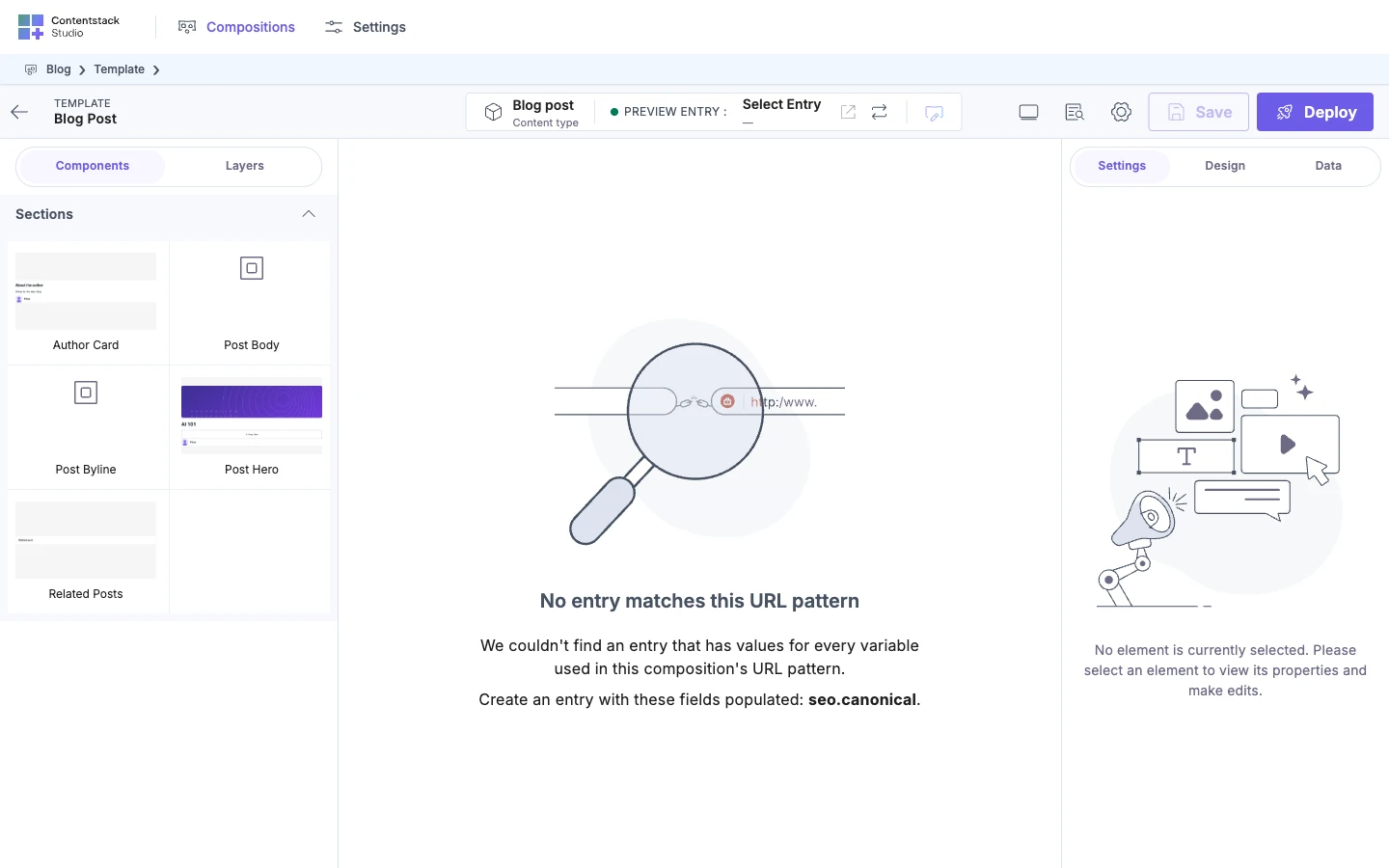
The URL is not present for this composition. A Template with no url_metadata falls back to legacy_url. No entry of the connected content type has a url value. Give an entry a url, or send url_metadata. A freeform Template with no url shows the same card.
Use Studio Component. You loaded a Template through StudioCanvas. It edits fine in the canvas but won't render on your site. Render Templates with StudioComponent.
Edit or reset a template's URL covers these URL cards:
- A Closer URL Match Won
- Another Entry Owns This URL
- Two Templates Share This URL
- This Address Is Nearly Right
Where to go next:
- Put the Template on your site, then read, change and delete compositions: Deploy, read, change and delete a composition.
- Build other layouts: Composition JSON.
- Look up every route and parameter: API endpoints.