Render on the server with the Next.js Pages Router
Render a template on the server in a Next.js Pages Router app, with its content, styles, title and meta tags in the first HTML response. Use this page when your app uses the Pages Router and search engines or social previews must see the template. The example on this page is the Blog post template, rendering AI 101 at /blog/ai-101. Say your Blog app uses the Pages Router instead of the App Router, with the same stack file, registrations and local address, http://localhost:3000.
Prerequisites
- The Studio SDK is set up, and
lib/contentstack.tsexports the objectstudioSdk.initreturned assdk. See Install the Studio SDK. - Your components are registered in
studio/register-components.ts, imported as@/studio/register-components. See Register a component. - The catch-all template route is
pages/[[...slug]].tsx. See Wire template preview routes. - You've read Render on the server. The steps below place its steps in the Pages Router, and link back to it for why each one is needed.
What this is and what you get
In the Pages Router, getServerSideProps fetches the template on each request. The page component renders it on the server, and the browser hydrates it.
The route has two files:
pages/[[...slug]].tsx, the catch-all template route. ItsgetServerSidePropsfetches the template and its styles, and the page component writes the head and renders<StudioComponent />.pages/_app.tsx, which imports the init and your registrations.
You get HTML with the template's content, styles, title and meta tags in the first response, as on Render on the server.
Faster ways to do this
- Skill. Ask your agent to set up server rendering on the Pages Router, and it uses
configure-csr-vs-ssr. See What are skills?
Fetch the template in getServerSideProps
Read the path and the query string from context.resolvedUrl. Pass the path as url and the query string as searchQuery. Don't read or build the query parameters yourself. Studio and the SDK agree on their names. See Forward the request's query string as searchQuery.
Don't use req.url. When the reader follows a link inside your app, it's the /_next/data/... address, not /blog/ai-101.
When no template matches, fetchCompositionData rejects. When isCompositionNotFound(error) is true, return { notFound: true }, and Next.js answers 404. Rethrow every other error, so it answers 500 and caches don't drop a page that exists.
Call getSSRStyles(specOptions.spec) in getServerSideProps too, and return the CSS as a prop. It reads the spec, so it doesn't need the render. getServerSideProps never runs in the browser, so the CSS is computed once, on the server, and hydrates without a mismatch.
Return JSON.parse(JSON.stringify(specOptions)), not specOptions. specOptions holds undefined values, which Next.js won't serialize.
export const getServerSideProps: GetServerSideProps<Props> = async ({ resolvedUrl }) => {
  const { pathname, search } = new URL(resolvedUrl, "http://localhost:3000");
  try {
    const specOptions = await sdk.fetchCompositionData({ url: pathname, searchQuery: search });
    return {
      props: {
        specOptions: JSON.parse(JSON.stringify(specOptions)),
        css: getSSRStyles(specOptions.spec),
      },
    };
  } catch (error) {
    if (isCompositionNotFound(error)) return { notFound: true };
    throw error;
  }
};
Render the template with its styles and head tags
Write the title and meta tags with next/head, from getCompositionMetadata(specOptions, { baseUrl: "http://localhost:3000" }). metadata.tags lists every tag in order, with its attr, key and content, so you can map it to <meta> elements.
When the template has no SEO title, title is the template's name. For Blog post, canonical is the URL pattern, http://localhost:3000/blog/{{entry.slug}}, not the post's address. See SEO and metadata for the fix.
Render the CSS in a <style> element before <StudioComponent specOptions={specOptions} />.
This is the whole pages/[[...slug]].tsx:
// pages/[[...slug]].tsx
import type { GetServerSideProps } from "next";
import Head from "next/head";
import {
  StudioComponent,
  getCompositionMetadata,
  getSSRStyles,
  isCompositionNotFound,
  type StudioComponentSpecOptions,
} from "@contentstack/studio-react";
import { sdk } from "@/lib/contentstack";

type Props = { specOptions: StudioComponentSpecOptions; css: string };

export const getServerSideProps: GetServerSideProps<Props> = async ({ resolvedUrl }) => {
  const { pathname, search } = new URL(resolvedUrl, "http://localhost:3000");
  try {
    const specOptions = await sdk.fetchCompositionData({ url: pathname, searchQuery: search });
    return {
      props: {
        specOptions: JSON.parse(JSON.stringify(specOptions)),
        css: getSSRStyles(specOptions.spec),
      },
    };
  } catch (error) {
    if (isCompositionNotFound(error)) return { notFound: true };
    throw error;
  }
};

export default function TemplatePage({ specOptions, css }: Props) {
  const metadata = getCompositionMetadata(specOptions, { baseUrl: "http://localhost:3000" });

  return (
    <>
      <Head>
        <title>{metadata.title}</title>
        {metadata.tags.map((tag) => (
          <meta key={`${tag.attr}:${tag.key}`} {...{ [tag.attr]: tag.key }} content={tag.content} />
        ))}
        {metadata.canonical && <link rel="canonical" href={metadata.canonical} />}
      </Head>
      <style dangerouslySetInnerHTML={{ __html: css }} />
      <StudioComponent specOptions={specOptions} />
    </>
  );
}
Import the init and your registrations in _app.tsx
Import lib/contentstack.ts and @/studio/register-components in pages/_app.tsx. It runs on the server and in the browser, so both renders see the init and your components.
// pages/_app.tsx
import type { AppProps } from "next/app";
import "@/lib/contentstack";
import "@/studio/register-components";

export default function App({ Component, pageProps }: AppProps) {
  return <Component {...pageProps} />;
}
Check the server HTML has the template, styles and title
Start the app, with npm run dev, or with npm run build and then npm run start. Then request the post without a browser:
curl http://localhost:3000/blog/ai-101
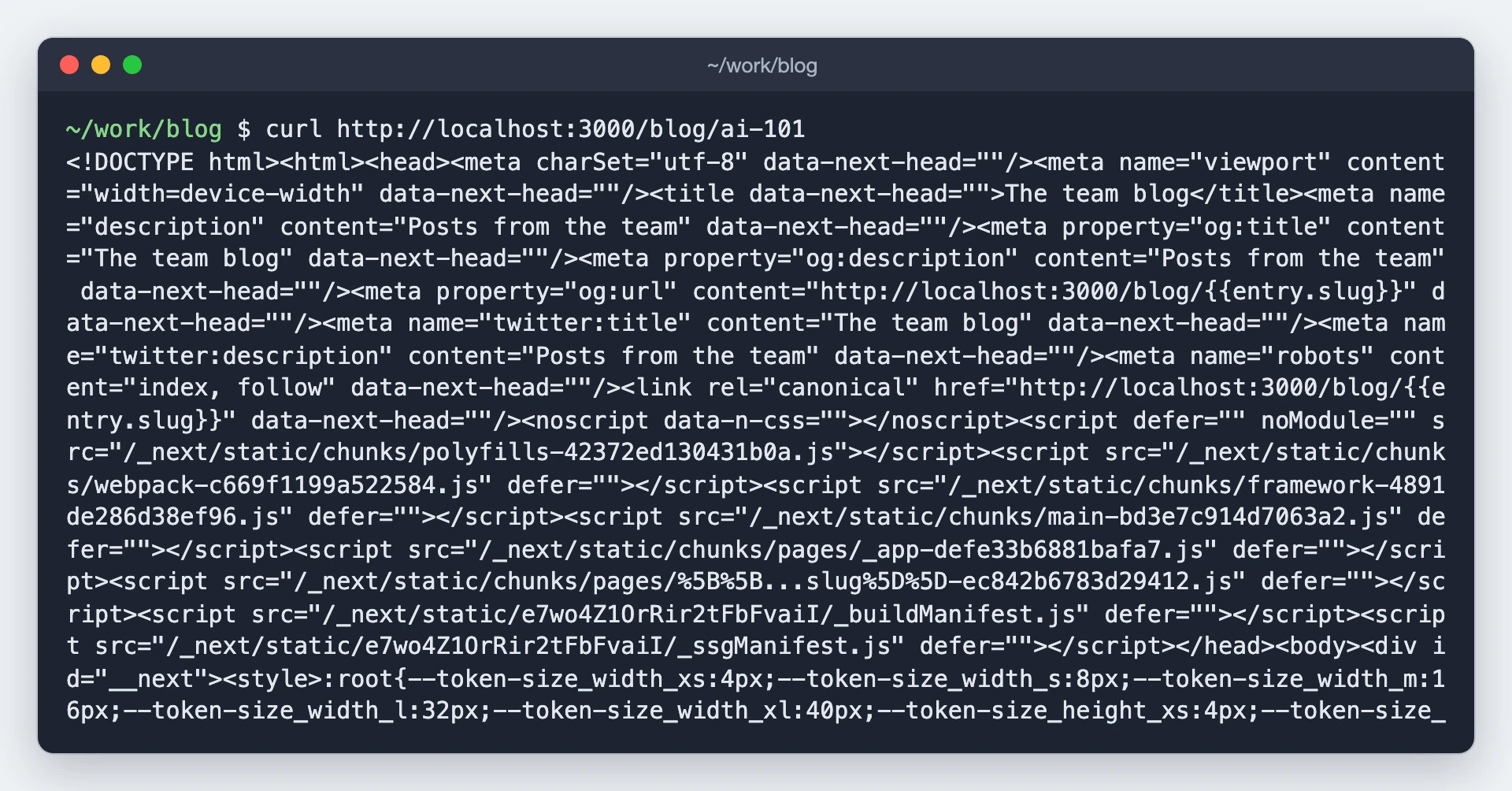
The HTML has AI 101's content. Its head has the title, The team blog, and an og:title meta tag. A <style> tag starting with the design-token variables comes before the content.
Then run curl -i http://localhost:3000/blog/not-a-post. It answers 404.
To deploy the app, see Go live.
If it doesn't work
- The page shows Component Loading Error, and the server log shows
Error while rendering component [Error: Component with type 'blog-hero' is not registered.].pages/_app.tsxdoesn't import your registrations. See Import the init and your registrations in _app.tsx. The response is still a 200, so check the log.
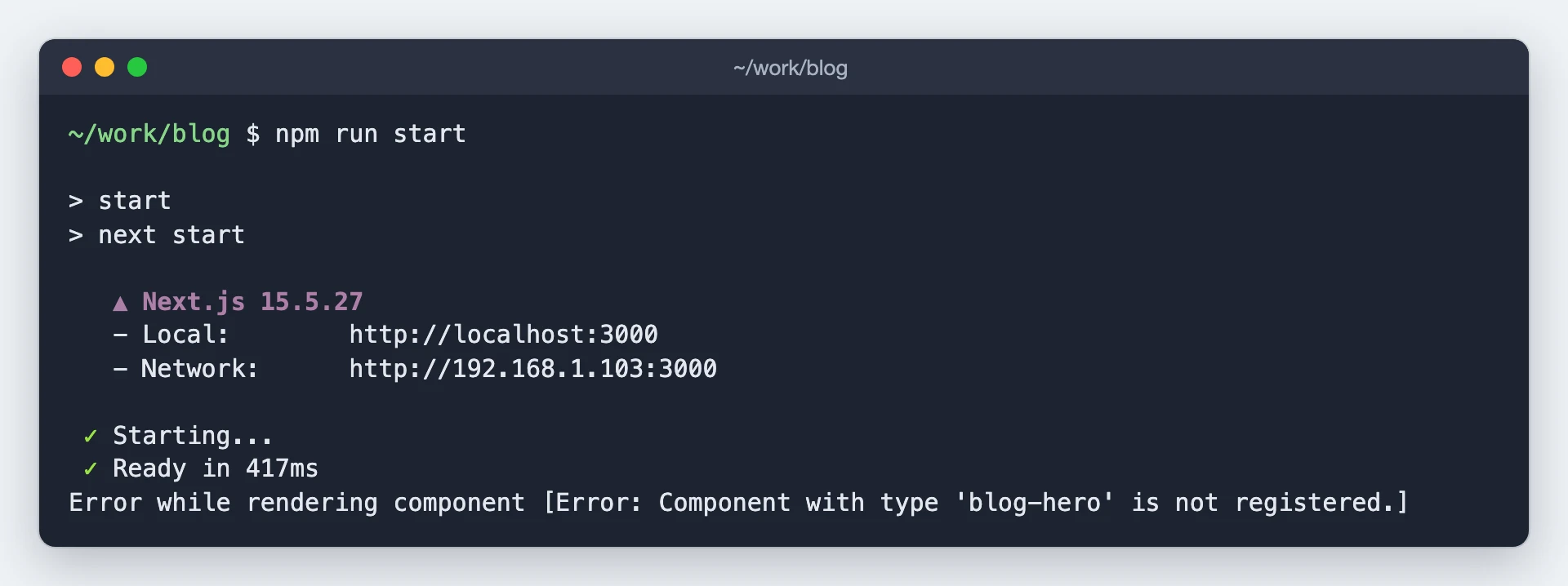
- In
next dev, the page answers 500 withError serializing `.specOptions.spec.data...` returned from `getServerSideProps`. The reason under it isReason: `undefined` cannot be serialized as JSON.ReturnJSON.parse(JSON.stringify(specOptions)), as in Fetch the template in getServerSideProps.
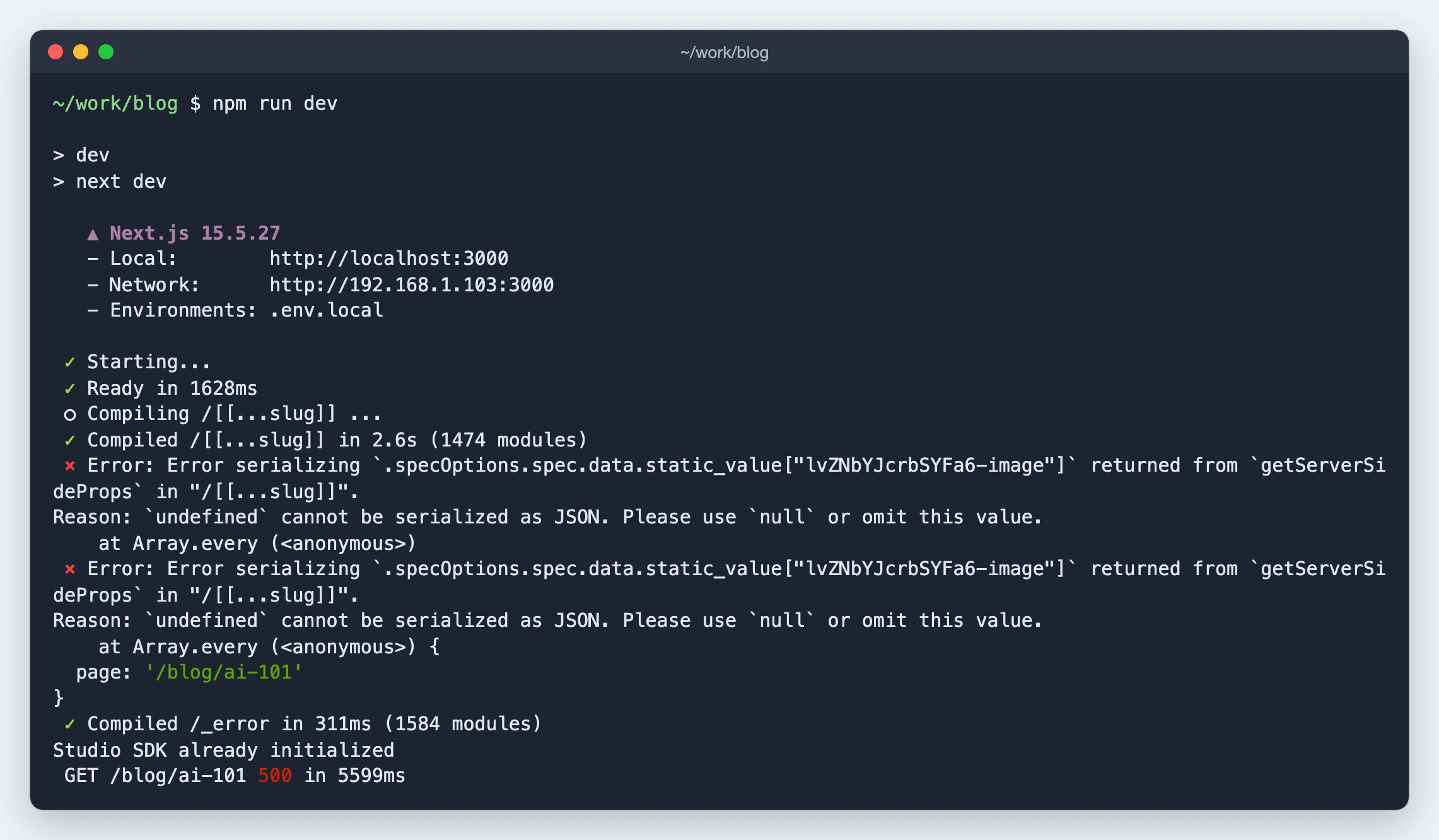
- Every unknown URL answers 500. The fetch isn't in a
try, or the catch doesn't callisCompositionNotFound. - The page arrives unstyled, then the styles appear. The
<style>element is missing.