How a layout is delivered
Studio stores a layout nowhere special. It's an entry in your stack, so it's delivered the way your content is delivered, through the same delivery API and the same CDN. Read this to see the path a layout takes from Deploy to a visitor.
The example on this page is the Blog post template, live on production at https://www.example.com.
Prerequisites
- Your site is live. You've followed Install Studio and your pages render from your stack.
Where Studio stores a layout
Every template and section is an entry of your project's compositions content type, such as compositions. It isn't a file in your app, and Studio keeps no copy of its own.
That makes a layout the same kind of object as a blog post:
| A blog post | A layout | |
|---|---|---|
| Where it lives | An entry of blog_post | An entry of compositions |
| How it goes to an environment | Publish | Deploy |
| How your site reads it | The delivery API | The delivery API |
| What serves it | Contentstack's CDN | Contentstack's CDN |
| What a new version costs you | A publish | A Deploy |
How a layout reaches a visitor
Because it's an entry, the layout arrives on the path your content already arrives on. Your site asks the delivery API for the composition, Contentstack's CDN serves it, and the Studio SDK turns it into the page.
Nothing in Studio or the SDK caches it along the way. Every fetchCompositionData call reads from Contentstack through your stack.
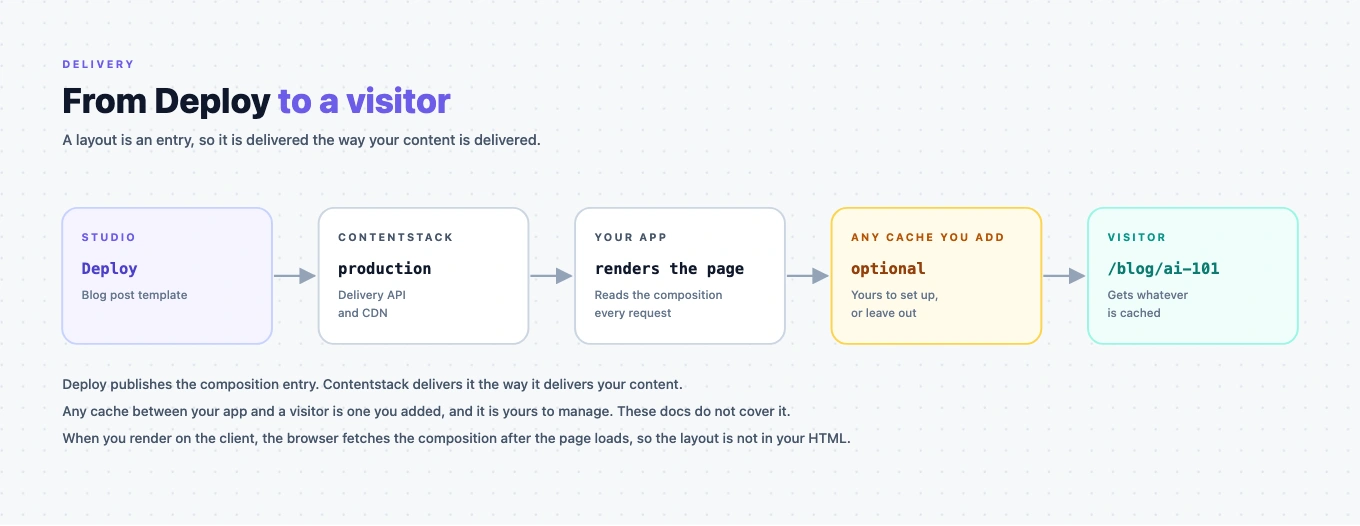
Where the layout ends up depends on how you render:
- When you render on the client, the browser fetches the composition after the page loads, so the layout isn't in the HTML your site returns.
- When you render on the server, the layout is in that HTML.
If you cache your own pages
Caching your pages is your call, and how you do it is up to you. Studio adds three facts to the decision:
- A Deploy changes pages without changing their URLs. Nothing in the address tells a cache that the layout moved, so plan how a Deploy reaches visitors: a short lifetime, a purge on publish, or both.
- Keep the canvas out of the cache. Studio's canvas adds
cs-composable-studio=trueto the address, and the page it gets back is built for editing. Skip the cache for it, and for requests withhashorlive_previewin the query, because those read drafts. A cached copy of any of them can reach a visitor. - Key on the language and the variant. Both reach the fetch as options rather than as part of the path, so two visitors can share one URL and expect different pages. See Fetch content in a locale and Fetch a Personalize variant.
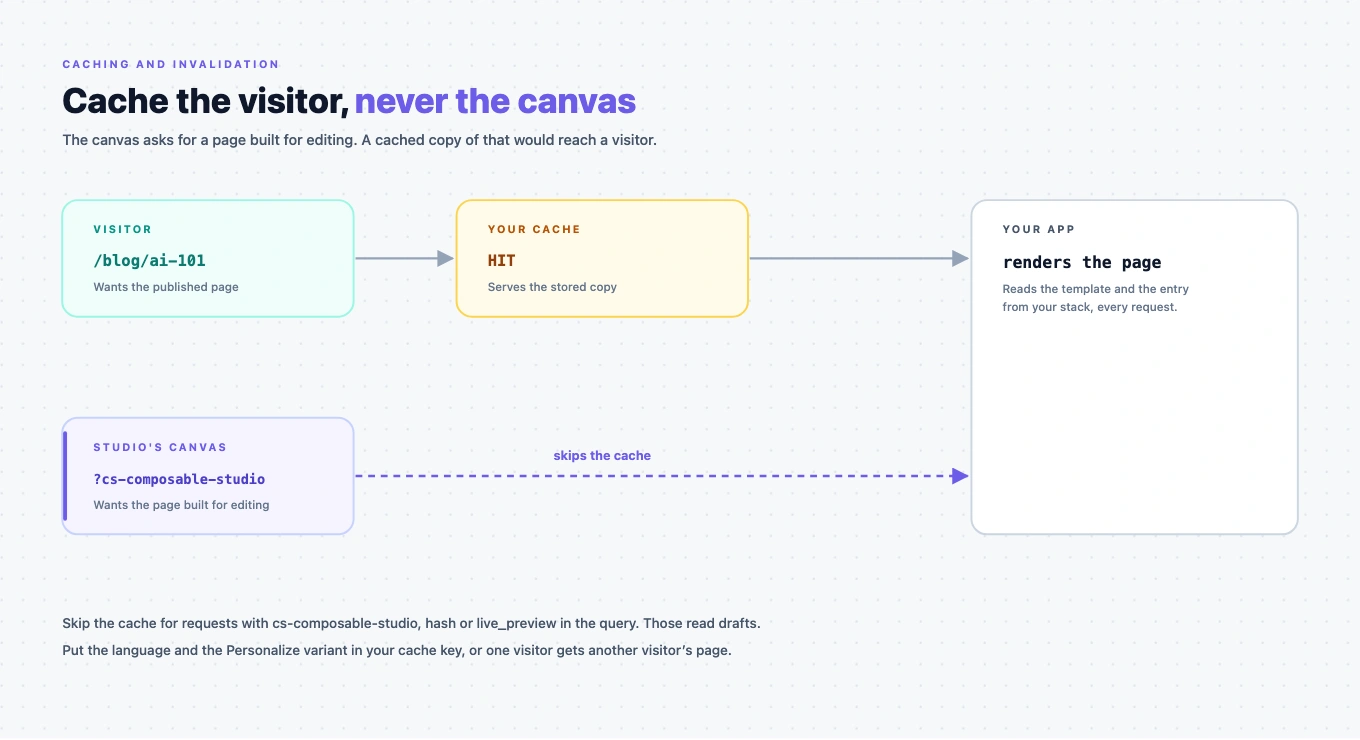
Everything else is your own caching setup, in your host, your framework or your CDN. These docs don't cover it.
If it doesn't work
Your site shows the old layout after a Deploy
Check the Deploy first, then your cache. The template has to be deployed to the environment your site reads. If it is, something of yours is holding the page.
The page is right in the canvas and wrong on your site
The canvas reads drafts, so it shows content your visitors can't see. Publish the entry. See Go live.
The right layout in the wrong language or variant
Your cache key is missing the language or the variant. See If you cache your own pages.
Where to go next
- Go live is the Deploy itself, and the publish that goes with it.
- Promote across environments deploys to
stagingbeforeproduction.