Install the skills
Studio's skills ship in Contentstack's official agent skills bundle, contentstack/contentstack-agent-skills. Install it once in your coding agent, and the agent can do Studio tasks for you from a request in plain English.
The example is the team blog. Its developers install the skills for Claude Code and Cursor.
Prerequisites
- A supported coding agent. Claude Code, claude.ai, Cursor, Codex, GitHub Copilot or Gemini CLI. For any other agent, use the skills CLI, which needs Node.js.
- Access to GitHub. The bundle is a public repository, so you don't need a GitHub account.
What this is and what you get
All 110 of Studio's skills ship in the bundle as one skill, studio. It is the pack's router, and every other skill is a file inside it. Your agent sees only studio until you ask about Studio, then it reads the one file your request needs.
The bundle also has Contentstack's other skills, such as the Delivery SDK, Live Preview and Launch skills. A plugin install gives you every skill in the bundle. The skills CLI can install studio on its own.
In the bundle, studio is marked as a preview.
Install for Claude Code
In a Claude Code session, run:
/plugin marketplace add contentstack/contentstack-agent-skills
/plugin install contentstack-skills@contentstack-skills
Run /plugin to check that contentstack-skills is installed and enabled.
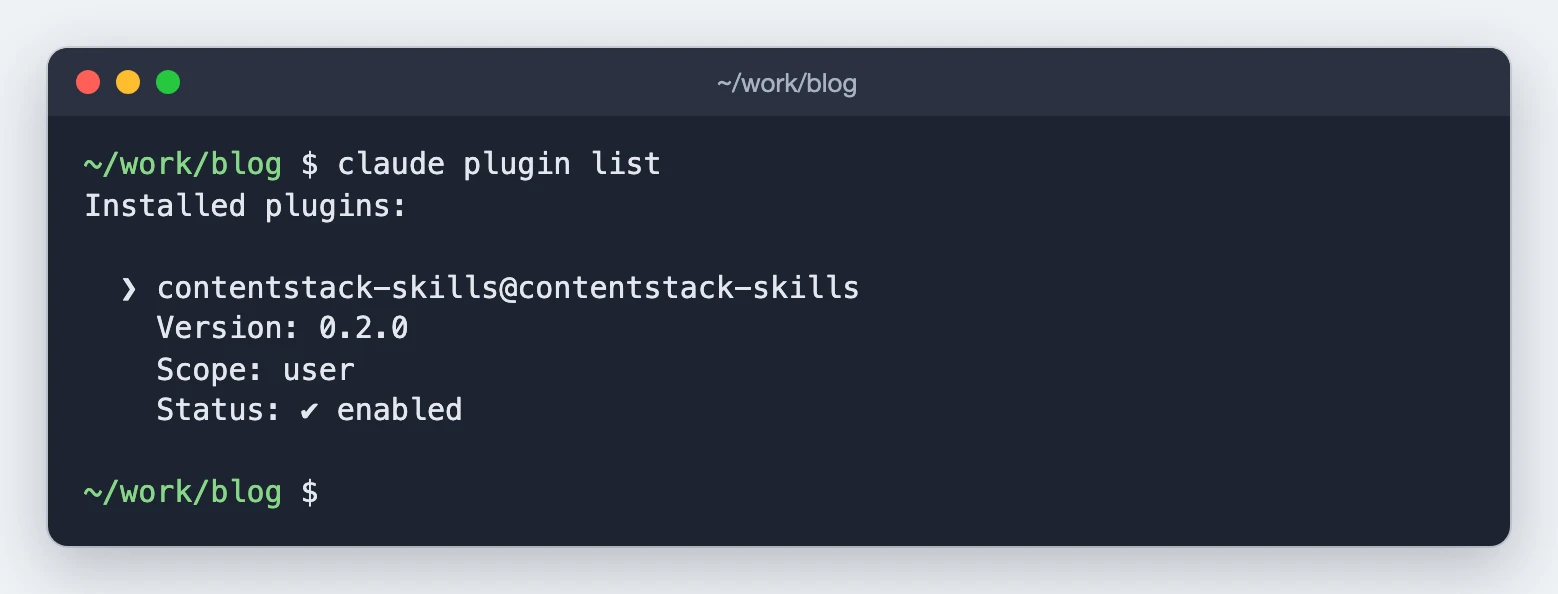
If you already added the marketplace in claude.ai, the plugin is in Claude Code too.
Install for claude.ai and Claude Cowork
- Go to Customize, then Plugins, then Add marketplace.
- Enter
contentstack/contentstack-agent-skills. - Install the contentstack-skills plugin.
The plugin appears in claude.ai, Cowork and Claude Code.
Install for Cursor
- Open Settings, then Plugins.
- Choose Add from GitHub repository.
- Enter
https://github.com/contentstack/contentstack-agent-skills.
Install for Codex
codex plugin marketplace add contentstack/contentstack-agent-skills
codex plugin add contentstack-skills@contentstack-skills
Install for GitHub Copilot
For Copilot CLI, run:
copilot plugin marketplace add contentstack/contentstack-agent-skills
copilot plugin install contentstack-skills@contentstack-skills
For VS Code, add the repository to the chat.plugins.marketplaces setting, then install contentstack-skills from the Extensions view:
"chat.plugins.marketplaces": ["contentstack/contentstack-agent-skills"]
Install for Gemini CLI
gemini extensions install https://github.com/contentstack/contentstack-agent-skills
Install only Studio's skills, for any agent
The skills CLI installs one skill from the bundle into your project. It works for Windsurf, Cline and other agents too.
-
In the blog app's root folder, run:
npx skills add contentstack/contentstack-agent-skills --skill studio -
Answer the CLI's questions:
- Which agents do you want to install to? Cursor, Codex, GitHub Copilot, Gemini CLI and other agents read
.agents/skills, so the CLI always includes them. For the blog, add Claude Code: typeclaudeto find it, press the space bar to select it, then press Enter. - Installation scope. Keep Project.
- Installation method. Keep Symlink.
- Proceed with installation? Choose Yes.
The CLI prints
Installed 1 skill. It writes the skill to.agents/skills/studio, where Cursor reads it. For Claude Code, it adds a link at.claude/skills/studio.If the CLI then asks whether to install its find-skills skill, either answer works. Studio's skills don't need it.
- Which agents do you want to install to? Cursor, Codex, GitHub Copilot, Gemini CLI and other agents read
To install without the questions, such as in a script, name the agents and add -y:
npx -y skills add contentstack/contentstack-agent-skills --skill studio --agent claude-code cursor -y
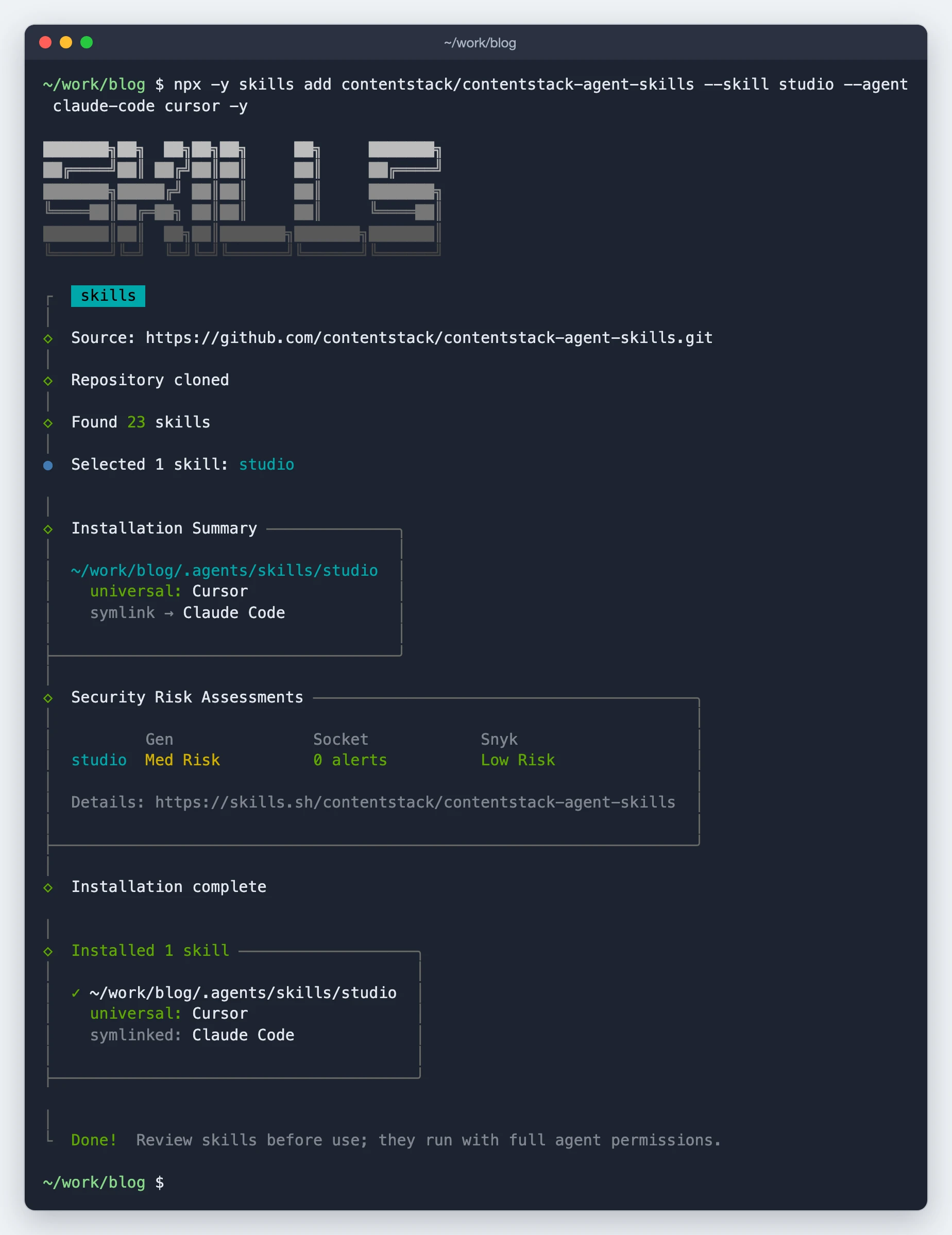
To see every skill in the bundle, run the command with --list instead of --skill studio.
Check that the skills are installed
Start a new session in your agent and ask:
Which Contentstack skills do you have available?
The list includes studio.
Update the skills
- Plugin installs update when Contentstack releases a new version of the bundle. In Claude Code, run
/plugin marketplace update contentstack-skillsto fetch it. In Codex, runcodex plugin marketplace upgrade contentstack-skills, then the install command again. - Skills CLI installs update when you run the same
npx skills addcommand again.
If it doesn't work
- The agent doesn't list
studio. Check that the plugin is installed and enabled, then start a new session. Agents load their skills only when a session starts. - The agent says the skill pack looks mis-installed. It couldn't find one of the files inside
studio. Install the skills again. - The agent answers without using a skill. The router acts only on messages about Studio. Say that your request is about Studio, such as "a Studio template" or "a Studio section".
- You installed the skills with
install.shbefore. That installer put the skills in.studio/skillsand linked.claude/skillsto it. The skills CLI then writes the newstudiointo.studio/skillsand reportsoverwrites: Claude Code, and the old skills stay next to it. Delete the.studio/skillsfolder and the.claude/skillslink, then install again. - Claude Code doesn't show a recent change. Claude Code updates a plugin only when the bundle's version changes. If the version hasn't changed, the change isn't released yet.
Next, connect skills to your stack, so they can work in your stack with your own login.