Render rich text and embedded entries
Render a rich text field your way when Studio's default output doesn't match your site, such as when a blog post embeds an author entry that has to look like your Author card section. You register how custom elements, embedded entries and embedded assets turn into HTML, and render the field in your component with one hook.
The example on this page is the team blog. The Blog post content type, blog_post, has a JSON Rich Text Editor field, body. The body of the entry AI 101, at /blog/ai-101, has a custom callout block with its variant attribute set to tip, an Author entry embedded as a block, and an embedded image. A BlogBody component renders it.
Prerequisites
@contentstack/studio-reactinstalled, foruseStudioRichText.- The Studio SDK initialized with your Delivery SDK stack, which Studio uses to fetch embedded entries. See Install the Studio SDK.
- A rich text field to bind. A JSON Rich Text Editor field binds to a prop of type
json_rte, but only when the field isn't set to multiple. An HTML Rich Text Editor or Markdown field binds to a prop of typeany.
What this is and what you get
Studio turns rich text into HTML for you, in its built-in Rich Text component and in any component that calls useStudioRichText. registerRTERenderer changes that HTML: how each custom element renders, and what an embedded entry or asset becomes. When you're done, BlogBody renders AI 101's body with your callout styling, your author markup and your image markup, on the canvas and on your site.
If the default output is all you need, you don't need any of this. Drop the built-in Rich Text component and bind its Text prop to the field.
What Studio renders by default
Without registerRTERenderer, this is what Studio produces for AI 101's body.
| In the field | What renders |
|---|---|
| Paragraphs, headings, lists, links, tables, bold and other marks | The matching HTML |
The callout block, or any custom element | Its text, without a wrapper |
| The embedded Author entry | The entry's text as stored in the field, such as the author's name, with no markup |
| The embedded image | An <img>. A video asset becomes <video controls>, audio becomes <audio controls>, and any other file becomes a download link. Each has the class cs-embedded-asset |
In a JSON Rich Text Editor field, assets follow that last row only when the field also embeds an entry that Studio fetched. See Assets in a field with no embedded entries.
Studio also cleans the HTML before it renders. It removes script, style, iframe, object, embed, form, link, meta, base and noscript elements, strips every on event attribute such as onclick, and strips any link or source that uses a scheme other than http, https, mailto, tel or data:image, such as javascript:. That applies to your own handlers' output too.
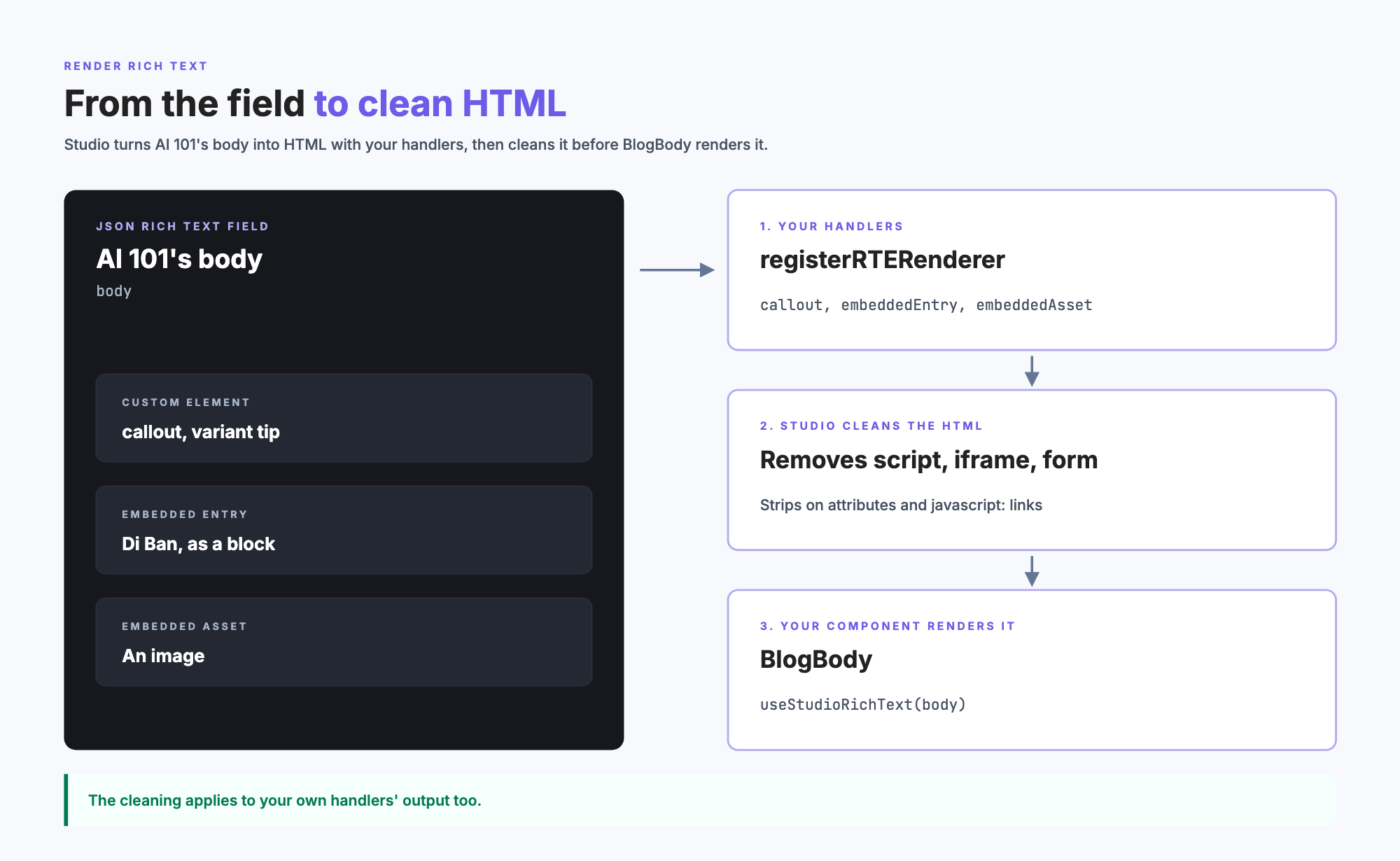
JSON rich text renders only in the browser
Studio turns a JSON Rich Text Editor field into HTML in the browser, after the page loads. On a server-rendered route, BlogBody's <article> is empty in the server HTML, and AI 101's body appears once the page hydrates. This matters if you need the body in the server HTML, for search engines or for the first paint.
HTML Rich Text Editor and Markdown fields render on the server, so their text is in the server HTML. Studio fetches an HTML Rich Text Editor field's embedded entries in the browser. Until they arrive, the server HTML shows the field's own markup for each one, and your embeddedEntry output replaces it after.
Register a custom element
-
In your registration module, call
registerRTERendererwith a handler for each custom element, keyed by the element's exacttypein the field.import { registerRTERenderer } from "@contentstack/studio-react";registerRTERenderer({customElementTypes: {callout: (attrs, child) => `<aside class="callout"${attrs}>${child}</aside>`,},});Each handler gets the element's attributes as an HTML string, its rendered children and the element's JSON, and returns an HTML string.
-
Open AI 101 on the canvas. Wherever the body renders, in the built-in Rich Text component or in your own component, the callout renders as
<aside class="callout" variant="tip">.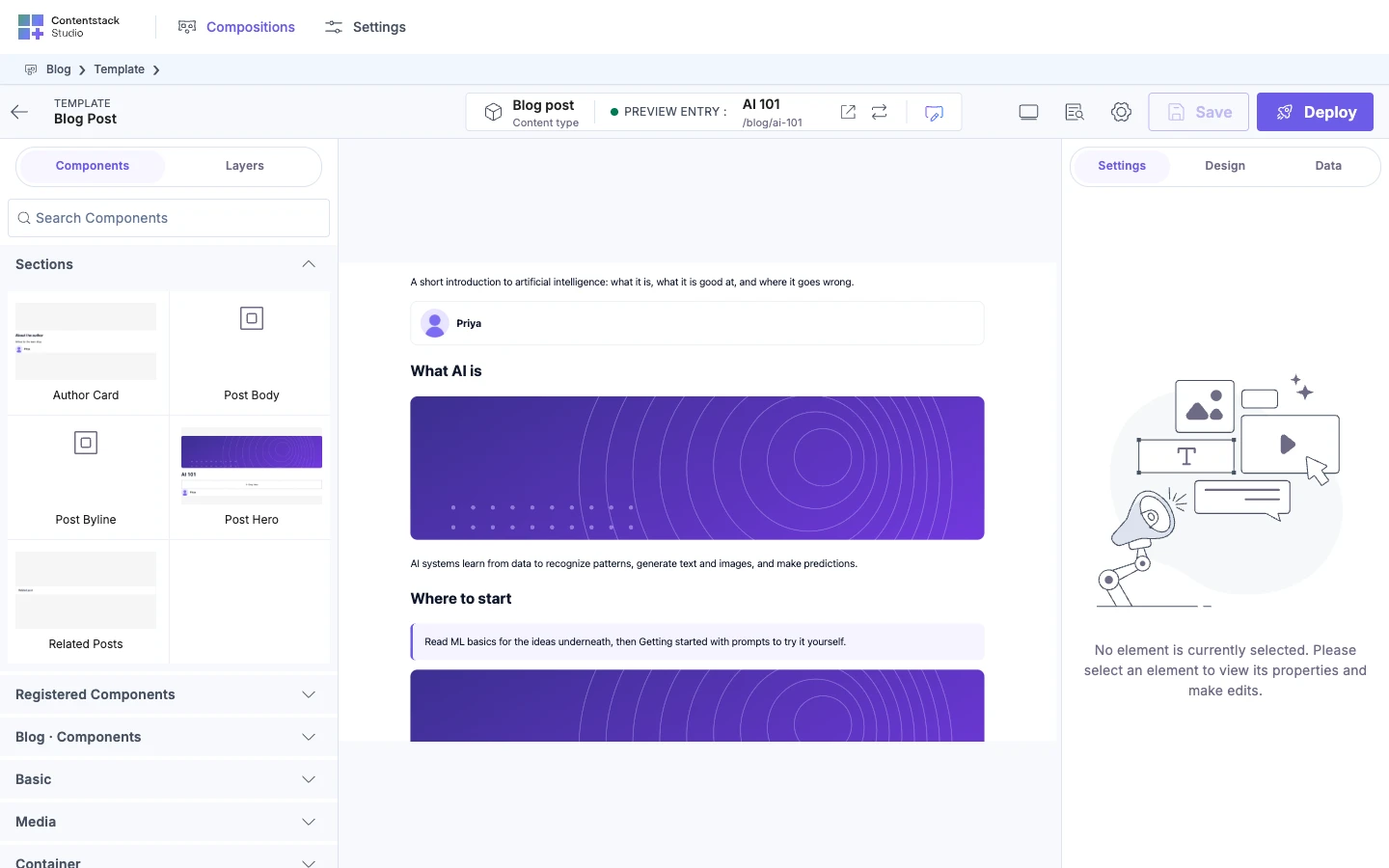
A key that's a standard element, such as h2, replaces how that element renders. This entry gives every second-level heading in the body your class:
h2: (attrs, child) => `<h2 class="post-heading"${attrs}>${child}</h2>`,
Each call to registerRTERenderer replaces everything registered before. Put your custom elements, embeddedEntry and embeddedAsset in one call. For the signature, see SDK API.
Render rich text in your own component
-
Give
BlogBodyabodyprop and render it withuseStudioRichText. It takes the prop's value and returns what to render.import { useStudioRichText } from "@contentstack/studio-react";import type { StudioAttributes } from "@contentstack/studio-react";type BlogBodyProps = StudioAttributes & { body: Record<string, unknown> };export function BlogBody({ body, studioAttributes }: BlogBodyProps) {const content = useStudioRichText(body);return <article {...studioAttributes}>{content}</article>;}The prop receives the field's JSON, not HTML. The hook works out which kind of value it has: JSON rich text, HTML, or Markdown. It renders the same way as the built-in Rich Text component, with your registered handlers applied.
-
Register
BlogBodywith ajson_rteprop.import { registerComponents } from "@contentstack/studio-react";import { BlogBody } from "./components/BlogBody";registerComponents([{type: "blog-body",displayName: "Blog body",component: BlogBody,wrap: false,props: {body: { type: "json_rte", displayName: "Body" },},},]);For an HTML Rich Text Editor or Markdown field, use
type: "any"instead. -
On the Blog post template, drop Blog body and bind Body to the
bodyfield, as in Bind a component. AI 101's body renders, with your callout markup.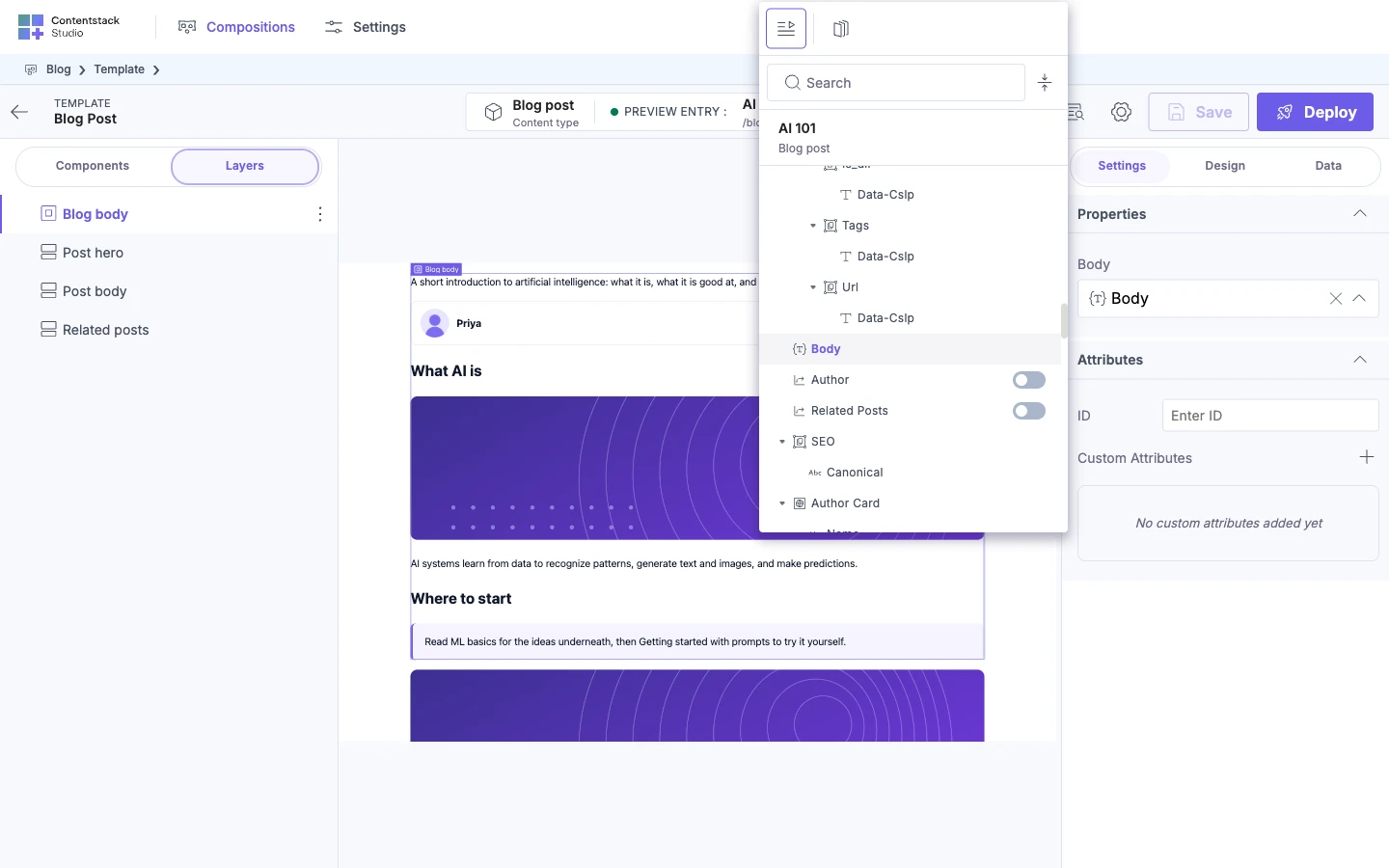
For the hook's other arguments, see SDK API.
Embedded entries and assets
-
Add
embeddedEntryandembeddedAssetto the sameregisterRTERenderercall. Each gets details of one embed and returns an HTML string.import escape from "lodash/escape";import { registerRTERenderer } from "@contentstack/studio-react";registerRTERenderer({customElementTypes: {callout: (attrs, child) => `<aside class="callout"${attrs}>${child}</aside>`,},embeddedEntry: ({ contentTypeUid, displayType, title, entry }) => {if (contentTypeUid === "author" && displayType === "block") {return `<div class="author-card"><img src="${escape(entry.photo?.url ?? "")}" alt="" /><p>${escape(entry.title)}</p></div>`;}return `<span>${escape(title)}</span>`;},embeddedAsset: ({ url, contentType, alt, filename }) => {if (contentType.startsWith("image/")) {return `<figure class="post-figure"><img src="${escape(url)}" alt="${escape(alt)}" /></figure>`;}return `<a href="${escape(url)}" download>${escape(filename)}</a>`;},}); -
Open AI 101 on the canvas. The Author entry renders as your author card markup, and the image renders inside
<figure class="post-figure">.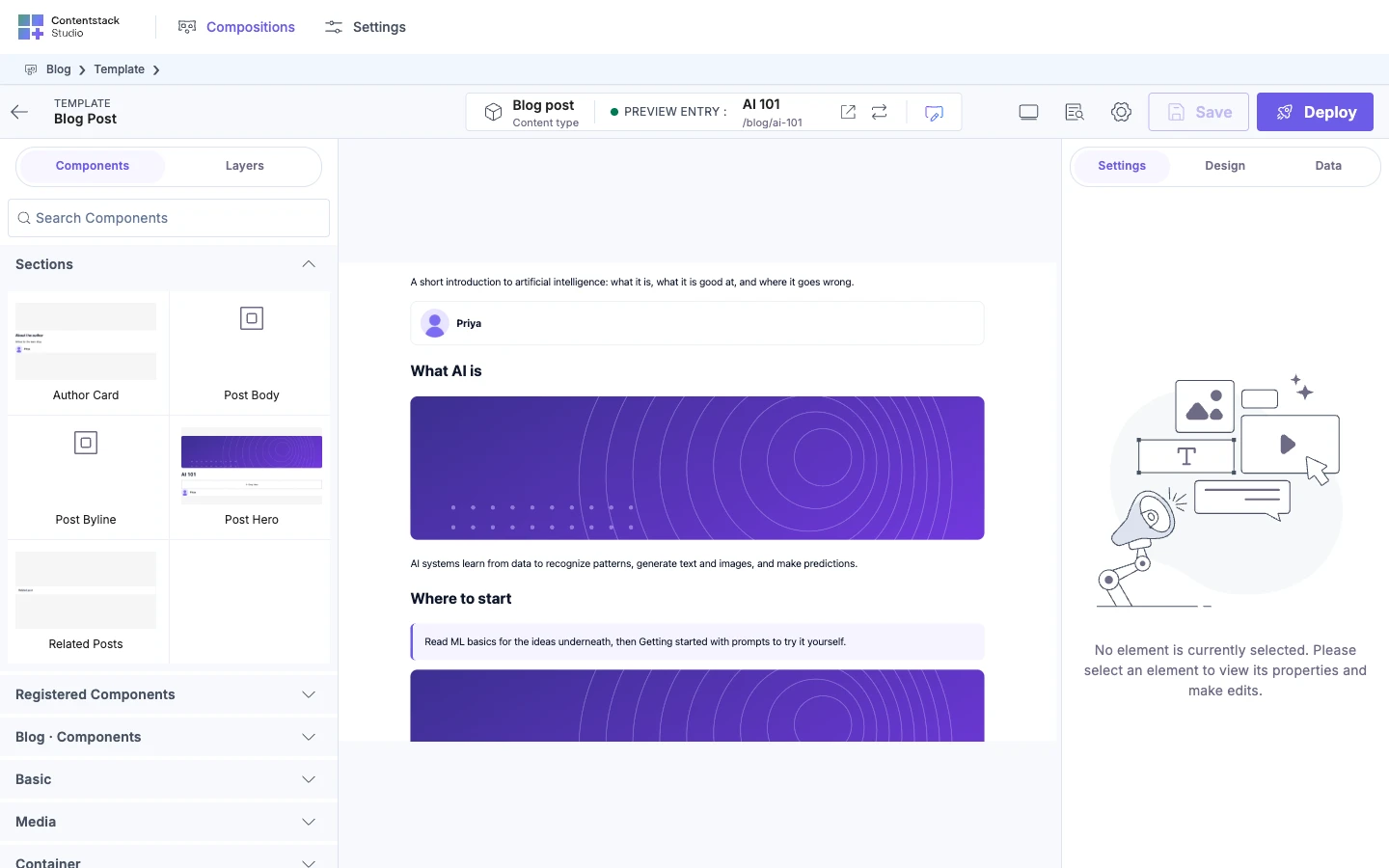
embeddedEntry gets these values.
| Value | What it is |
|---|---|
entryUid | The embedded entry's UID |
contentTypeUid | Its content type, such as author |
displayType | How the author inserted it, such as block or inline. Defaults to inline |
title | The entry's title |
entry | The whole entry, with every field the Delivery API returned |
embeddedAsset gets assetUid, url, contentType (the file's type, such as image/png), filename, alt and displayType. Leave embeddedAsset out to keep the default asset output.
Handlers return HTML strings, not React elements, so you can't render your React components here. Return the same markup your Author card section renders. Escape any entry or asset value you put into the HTML. The example uses lodash's escape, and any HTML-escaping function works.
Where the embedded data comes from
Studio fetches each embedded entry in the browser, through the Delivery SDK stack you passed to studioSdk.init, with one query per content type. So your delivery token has to be able to read the author content type in the environment your site uses. An asset's details are stored in the field itself, so assets need no fetch.
Assets in a field with no embedded entries
In a JSON Rich Text Editor field, your embeddedAsset handler runs only when Studio fetched at least one entry embedded in that field. Otherwise every asset renders as an image inside a <figure>, whatever its type. That happens when:
- The field embeds only assets.
- Studio couldn't fetch the field's embedded entries.
- You didn't pass a Delivery SDK stack to
studioSdk.init. Studio logs nothing. - None of the embedded entries is published to your site's environment. Studio logs nothing.
For an HTML Rich Text Editor field, Studio always runs your embeddedAsset handler, because the asset details are in the field. AI 101 embeds an Author entry, so its image goes through your handler.
If it doesn't work
The embedded author shows as plain text
No embeddedEntry is registered, so Studio renders the entry's stored text, such as the author's name. Add embeddedEntry to your registerRTERenderer call.
A custom block's text shows, but without its markup
Studio has no handler for that element's type. Add a customElementTypes entry whose key matches the type in the field exactly, such as callout.
An embed that returns an iframe or a form renders nothing
Studio removes iframe, form, script and the other elements listed in What Studio renders by default, including from your handlers' output. So rich text can't hold an iframe video player, such as a YouTube embed, or a signup form. A <video> element isn't removed, so a video asset still plays. Put an iframe or a form in a registered component on the composition instead.
The body is missing from the server HTML
JSON rich text renders only in the browser. See JSON rich text renders only in the browser.
Custom elements stop working after another registerRTERenderer call
Each call replaces everything registered before, so a later call without customElementTypes drops them. Make one call with every option.
The console warns that it failed to fetch entries
The console shows this, with the embedded entry's content type:
[studio-sdk] fetchEmbeddedEntries: failed to fetch entries for "author"
The entry shows as its stored text. In a JSON Rich Text Editor field, assets in that field also skip your embeddedAsset handler. Check that your delivery token and environment can read the author content type.
Your embeddedAsset handler never runs in a JSON Rich Text Editor field
Studio didn't fetch any entry embedded in that field. See Assets in a field with no embedded entries.