Render a composition with your own data
Render a composition with your own data when your app already has the data and you don't want Studio to fetch it. You need it for a route that loads its own list, such as a blog index.
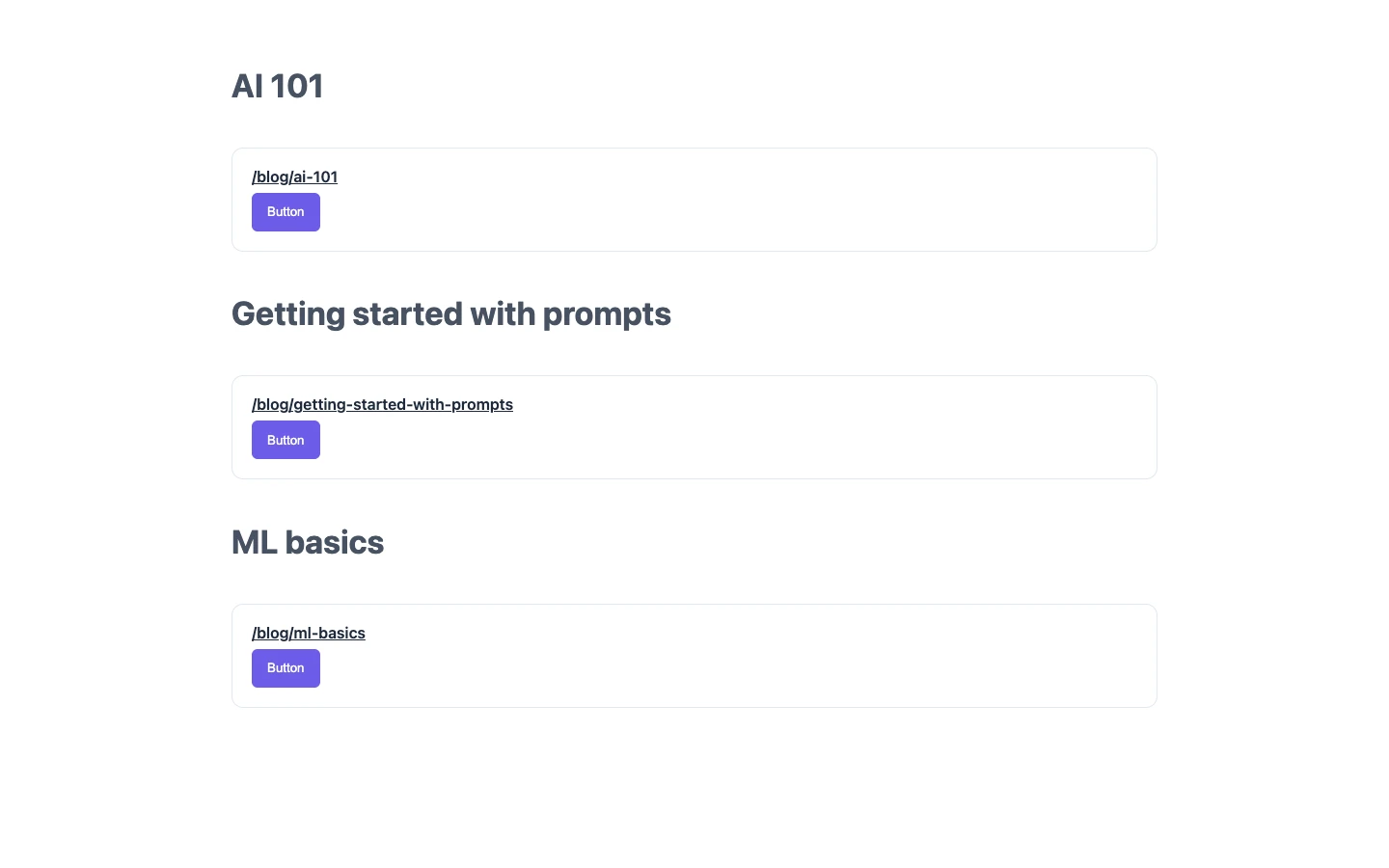
The example on this page is the Blog project. The app's own /blog route loads its list of posts. It renders the Post card section once per post: AI 101, Getting started with prompts, ML basics. Your app doesn't ask Studio for the posts. Each card reads the object your app passes.
Prerequisites
- You call
studioSdk.initbefore you fetch or render. - You register the components the composition uses before you fetch it.
- You have a Section or Template built in Studio, and its Section UID or Template UID. The example uses the Post card section, UID
post_card, which you build in Pass data into a component slot. - Your app uses
@contentstack/studio-react.
To find the UID, open the row's Edit action on the Sections tab. Studio shows Section UID and doesn't let you change it.
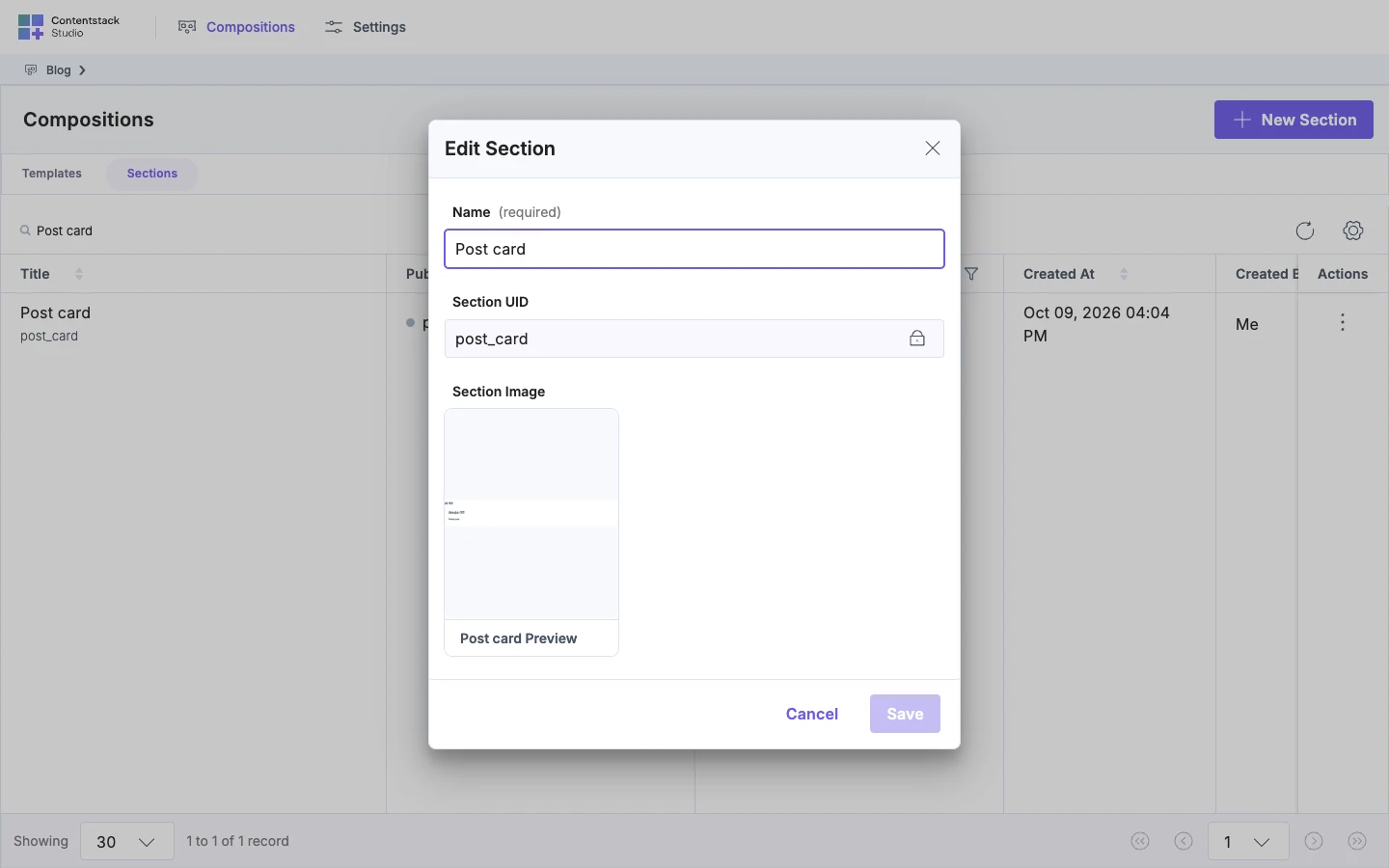
The compositionUid you pass is the Section UID or Template UID. It isn't the entry UID in the canvas URL.
What this is and what you get
StudioComposition renders a Section or a Template against data your app already has. You give it the composition and a context object.
Your context replaces the template entry, so the composition's existing bindings read from it. Authors bind nothing new for context. The bindings in the composition already read it. Sections placed inside the composition get their data from context too, with no extra fetch.
Studio never sees your context, so the Data Picker doesn't list it. StudioComposition renders without canvas editing, and it works in browser rendering, and in server rendering when you pass spec.
StudioComposition isn't StudioComponent. StudioComponent fetches a composition and its content for a route. To pass values to StudioComponent, see Bring your own data.
sdk.fetchComposition fetches the composition without any data, so spec.data is empty. That's why you supply the data in context.
Render a composition against one object
-
Fetch the composition with
sdk.fetchComposition. Pass the UID and passsearchQueryas an empty string.const sdk = studioSdk.init(config);const spec = await sdk.fetchComposition({ compositionUid: "post_card", searchQuery: "" });Call
sdk.fetchCompositiondirectly. Don't usesdk.public. The call returns aStudioSpec, and it runs on the server or in the browser. -
Pass the spec and your object to
StudioCompositionasspecandcontext.<StudioComposition spec={spec} context={post} />For AI 101,
postis{ "title": "AI 101", "url": "/blog/ai-101" }. Pass the object as it is, with no wrapper of your own.The Post card section renders with the title AI 101 and a Button that opens
/blog/ai-101when clicked.
When you pass spec, the component loads nothing and ignores compositionUid. On the server, fetch the spec there and pass it, because the compositionUid path fetches in the browser.
Render one Section for each post
Fetch the spec once, above the loop, and pass the same spec to each item. Pass each post as context. Give each post a stable key, such as its URL.
const spec = await sdk.fetchComposition({ compositionUid: "post_card", searchQuery: "" });

return posts.map((post) => (
  <StudioComposition key={post.url} spec={spec} context={post} />
));
Each card renders the same Post card layout against its own post. On /blog, you see three Post cards, one each for AI 101, Getting started with prompts, ML basics.
Let the browser fetch the composition
Pass compositionUid instead of spec, and the component fetches in the browser after it mounts.
<StudioComposition compositionUid="post_card" context={post} />
While the fetch runs, the component shows nothing, because this snippet sets no loadingFallback. Then the Post card renders.
loadingFallback shows while the fetch runs, and errorFallback shows if it fails. Both default to nothing.
A failed fetch also logs "[Contentstack Studio] StudioComposition: failed to fetch composition" and the error.
The compositionUid path takes no locale or variant.
Each StudioComposition with a compositionUid fetches on its own, so a loop of them makes one request each. For a list, use the loop in the previous section instead.
If it doesn't work
The component throws a message about a missing spec or compositionUid.
The message reads "[Contentstack Studio] StudioComposition requires either a spec or a compositionUid."
Pass one. An undefined spec counts as not passed.
The fetch failed, and errorFallback renders.
The console shows "[Contentstack Studio] StudioComposition: failed to fetch composition".
Read the error that follows. These are the causes:
- "[Contentstack Studio] StudioComposition: SDK not initialized. Call studioSdk.init(config) before rendering with a compositionUid."
Run
studioSdk.initfirst. - "[Contentstack Studio] COMPOSITION_UID_NOT_FOUND: No composition with the uid "
<uid>" in content type "<content type>"." Check the UID, and check that the Section is deployed. - "[Contentstack Studio] COMPONENT_NOT_REGISTERED: These components are used by this composition and not registered:
<types>." Register the components before the fetch.
When you fetch the spec yourself, isCompositionNotFound(error) from @contentstack/studio-react tells you the composition doesn't exist, so you can return a 404 only then.
A server render with compositionUid renders no composition. The fetch runs in the browser. Pass spec instead.
There's an empty gap and no error. The fetch is loading or has failed, and you set no fallback. Pass both fallbacks and read the console.
Bound nodes show their default or nothing. Your context lacks the field the binding reads.
For every prop and the errors of StudioComposition, see StudioComposition and Slot props.