Setup: Two Layers That Have to Agree
Studio is not a single install. Your app gets SDKs and routes. Contentstack gets a project record. Neither half renders a page alone, and most setup failures are the two halves disagreeing about an environment, a locale, or a canvas path.
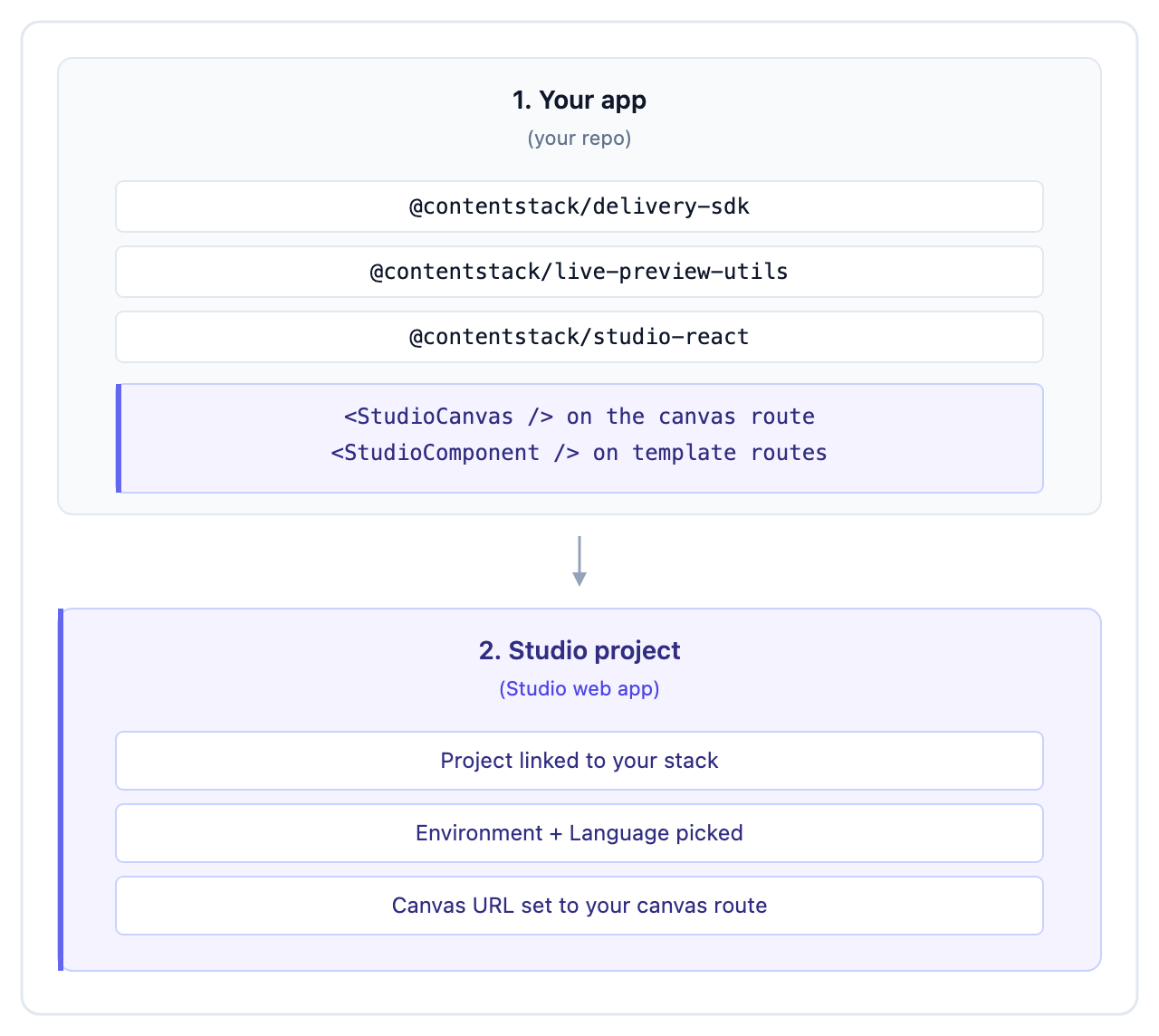
| Layer | Lives in | You configure |
|---|---|---|
| Your app | Your codebase | Delivery SDK, Live Preview, Studio SDK, a canvas route, a catch-all route |
| Your Studio project | app.contentstack.com | The linked stack, environment, language, and the canvas URL pointing back at your app |
The canvas URL is the seam. It is a relative path on the project, resolved against the environment’s base URL at render time, so the same project can preview against local, staging and production without being edited.
Do It With a Skill
install-studio covers the first layer: it installs the three SDKs, validates your credentials before writing anything, and wires the initializer. It adds no routes.
curl -fsSL https://studio-documentation.contentstackapps.com/install.sh | sh
The second layer, the project record, is mostly browser work. configure-studio walks environment, language and Canvas URL in one pass.
Before Anything Else
Check that Studio is enabled for your organization. It is an app-switcher check that takes seconds, and it rules out the single most common cause of a blank canvas.
Working Through This Chapter
| Group | Covers |
|---|---|
| Prerequisites | The stack-side things that must exist first: API key, delivery token, preview token, environment |
| Install the SDKs | The three packages, what each one is responsible for, and the order they initialize in |
| Create the project | The project record, and the browser-only steps no script can do for you |
| Rendering and routes | The canvas route, the catch-all, and the CSR-or-SSR decision that precedes both |
Finish with Verify your setup, which tests the layers from the Delivery SDK upward so you repair the lowest failing one first.
Reference, Not a Starting Point
This chapter is exhaustive by design. If you are installing Studio for the first time, Quickstart 1 walks both layers end to end in one linear pass, and you can return here when you need depth on a specific piece.