When to Use Templates vs Sections: a Decision Tree
Building your first Studio thing? Go to Build your first page. The numbered Quickstarts walk you through building both a Section and a Template. This page is a decision reference for later, when you’re planning a new piece and need to pick which one it should be.
Two building blocks, two jobs.
Do It With a Skill
choose-connected-vs-freeform makes the related template-level call and hands off to the matching builder. For the section-versus-template question on this page, plan-studio-architecture answers it across a whole site at once.
curl -fsSL https://studio-documentation.contentstackapps.com/install.sh | sh
Decision Tree
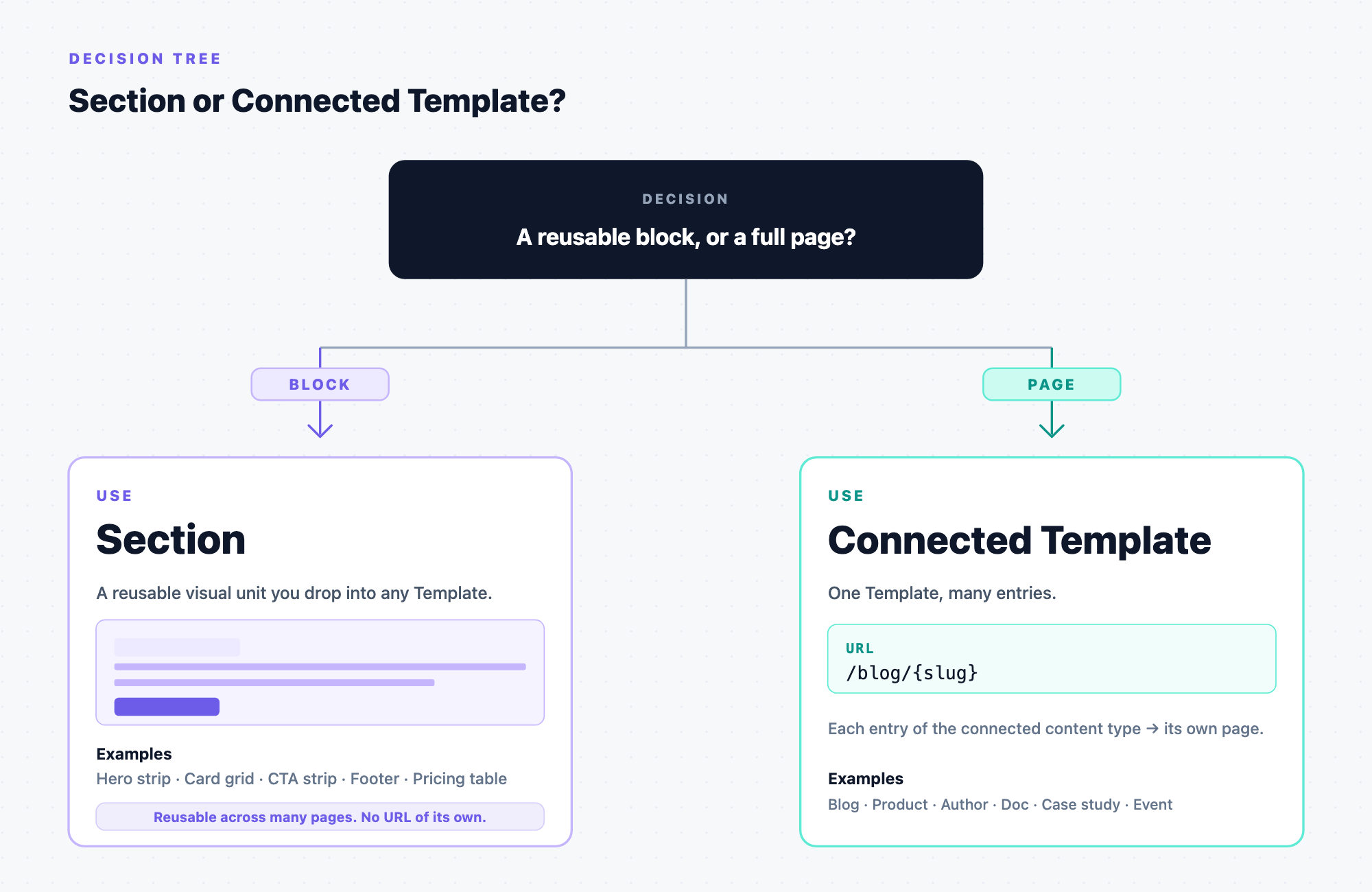
Quick Reference
| You want to… | Use |
|---|---|
| Build a page tied to one entry of a content type | Template |
| Build a reusable block | Section |
| Reuse one section across different content types | Section with a linked schema |
| Let template authors drop custom content inside a section | Section Slot |
| Let template authors tweak a value inside a section per template instance | Expose Section Prop |
What Renders Where
| Component | Goes on… | Renders |
|---|---|---|
| <StudioCanvas /> | One special “canvas” route | Sections, for preview while authoring |
| <StudioComponent /> | Your real page routes | Templates as pages visitors see |
A typical Studio-powered app ships both.
Next
- Composition concepts: how Studio thinks about pages
- Templates: content-type-driven pages
- Sections: reusable blocks