Publishing the Component Library
When one team builds the component library and several other teams ship Studio-powered sites against it, you want a single source of truth for component registrations, not copy-pasted registerComponent calls across every project.
Three patterns for sharing a library, in order of investment.
Do It With a Skill
No skill covers this. Packaging and versioning your own library is your team’s release process, not a Studio operation, and the three patterns below are choices only you can make.
The Studio-side work that follows publishing, registering the components against a project, is register-component.
Pattern 1: Single Npm Package (recommended)
Publish your component library as an npm package that includes both the React components and the Studio registration calls.
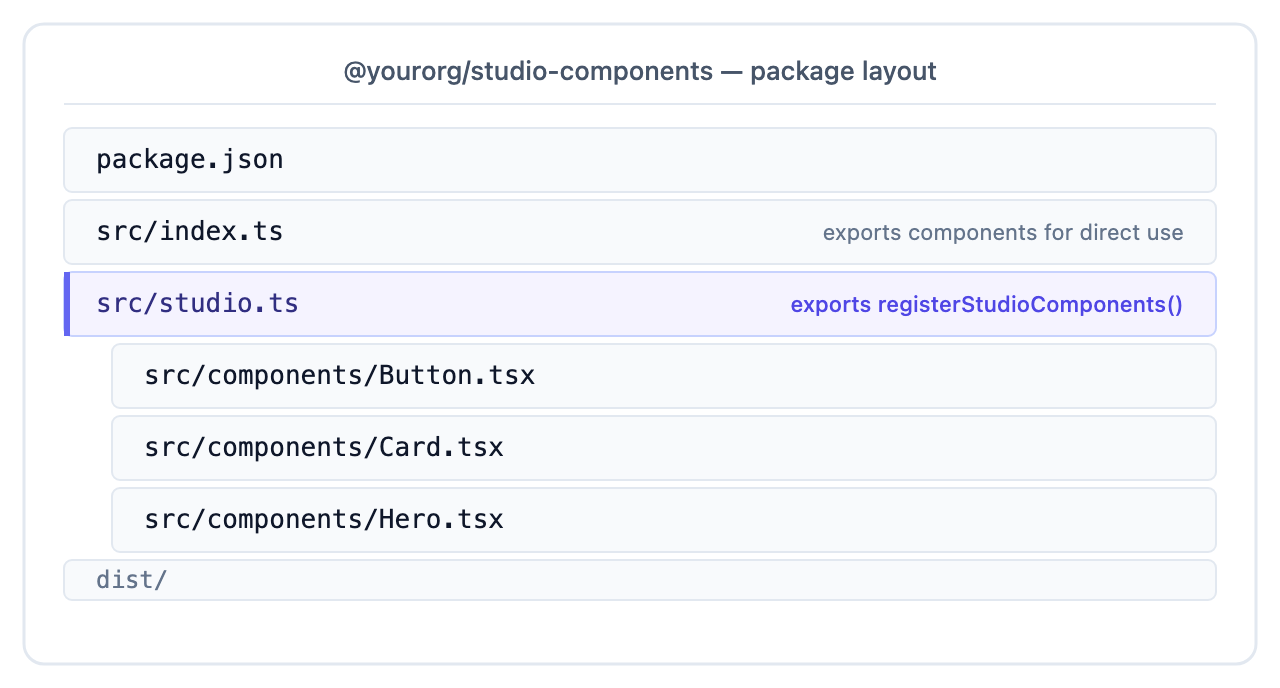
The package exports a single registerStudioComponents() function:
// @yourorg/studio-components/src/studio.ts
import { registerComponents, registerLazyComponent } from "@contentstack/studio-react";
import { Button, Card } from "./components";

export function registerStudioComponents() {
  registerComponents([
    { type: "Button", component: Button, /* … */ },
    { type: "Card",   component: Card,   /* … */ },
  ]);

  registerLazyComponent(
    { type: "Hero", props: { /* … */ } },
    () => import("./components/Hero").then(m => m.Hero),
  );
}
Then in every Studio-powered site that uses the library:
// src/lib/studio-components.ts
import { registerStudioComponents } from "@yourorg/studio-components/studio";

registerStudioComponents();
Benefits:
- One place to update component schemas, all sites pick up the change on next install
- Components are versionable via semver
- Site teams don’t see (and can’t accidentally modify) the registration code
- Storybook for the library lives in the library’s repo
The pattern most enterprise teams converge on.
Pattern 2: Internal Git Submodule / Workspace Package
For monorepos where everything lives in one repo, a workspace package serves the same purpose without publishing to npm:
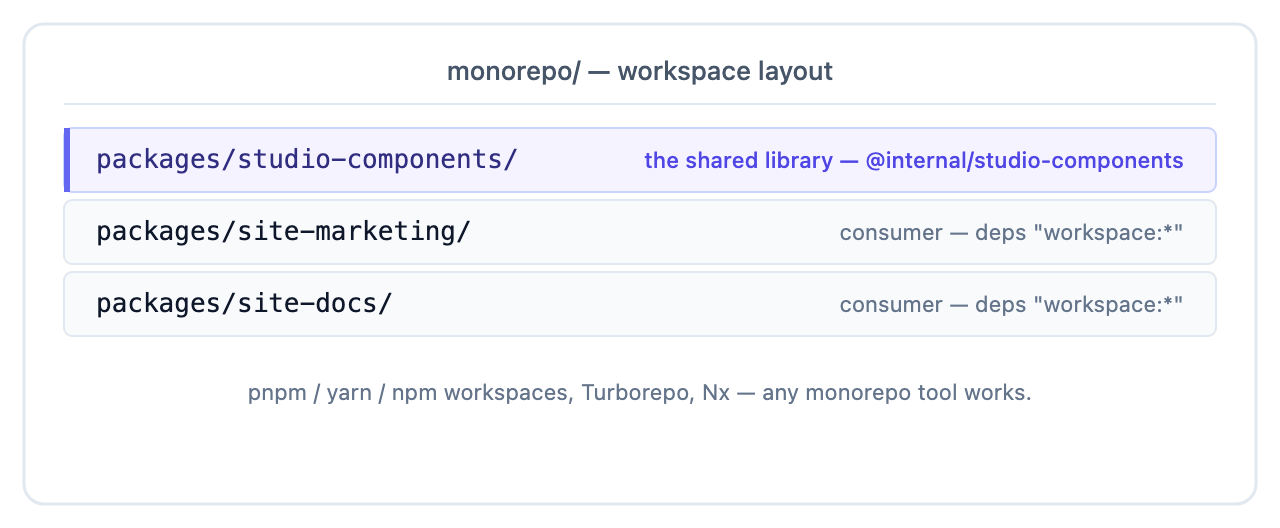
pnpm, yarn workspaces, npm workspaces, Turborepo, Nx: any monorepo tool works. The component package exports the same registerStudioComponents() function. Consumer sites import it.
Same benefits as Pattern 1, no npm publish step.
Pattern 3: Copy and Fork
The simplest, least scalable pattern: each site has its own src/lib/studio-components.ts with its own copy of the registrations.
| Pros | Cons |
|---|---|
| Zero infra | Schemas drift |
| Site teams can fork freely | Bug fixes need to be applied N times |
| No version coordination | A new prop on Button means updating every site |
Use this only for very early prototyping. Graduate to Pattern 1 or 2 as soon as you have more than one Studio-powered site.
Version the Library
Treat the library’s package version as the schema version. When you change:
- A type or rename a component: breaking change (compositions reference these). Bump major
- A prop name or remove a prop: breaking change. Bump major
- Add a new prop with a default: minor change. Bump minor
- Fix a bug or improve a default: patch
Document the schema lifecycle separately from the React component’s API. They’re different audiences.
Split Components by Tier
Consider tiers when your library grows beyond ~30 components or when initial load time becomes a measurable concern. Below that threshold, a single registration function is simpler to maintain.
For large libraries, consider a tier split:
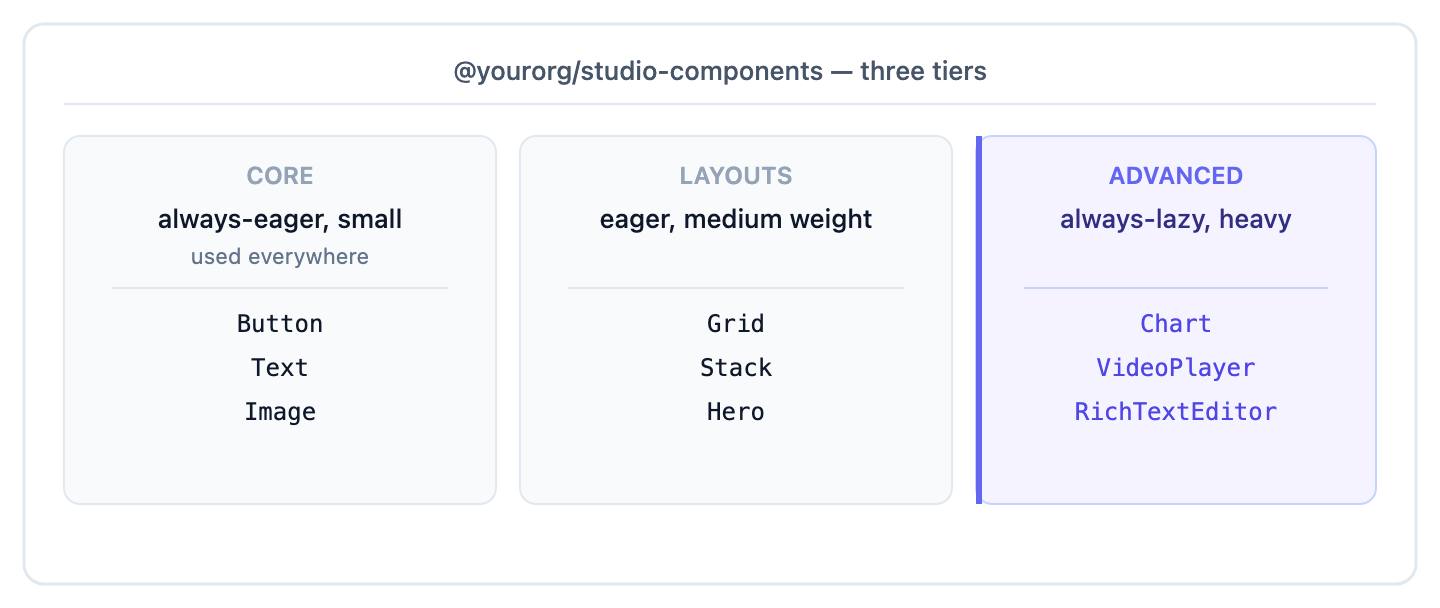
Export them as separate sub-packages or separate registerStudioComponents*() functions:
// @yourorg/studio-components/src/studio.ts
export function registerCoreComponents()     { /* eager */ }
export function registerLayoutComponents()   { /* eager */ }
export function registerAdvancedComponents() { /* lazy */ }
Consumer sites pick the tiers they need:
import {
  registerCoreComponents,
  registerLayoutComponents,
  registerAdvancedComponents,
} from "@yourorg/studio-components/studio";

registerCoreComponents();
registerLayoutComponents();
// site doesn't use advanced — skip
Share Design Tokens Across Projects
The design tokens registry has the same shape. Share via the same package:
// @yourorg/studio-components/src/studio.ts
import { registerDesignTokens } from "@contentstack/studio-react";
import { brandTokens } from "./tokens";

export function registerStudioDesignSystem() {
  registerDesignTokens(brandTokens);
}
Sites call registerStudioDesignSystem() once at boot and get the whole token set + component library together.
Decide What Goes in the Library Vs. the Site
These decisions vary by project:
| Lives in the library | Lives in each site |
|---|---|
| Registered component definitions | Site-specific data fetching / hooks |
| Design tokens, breakpoints | Site-specific routes / layouts |
| Shared icons, illustrations | Site-specific imagery |
| Storybook for components | Site-level integration tests |
| Prop schema (the source of truth) | studioSdk.init() call (per-site stack credentials) |
studioSdk.init always lives in the consuming site. The stack credentials are different per environment.
Next
The chapter ends here. Likely next stops:
- Setup: Layer 1 install if you haven’t installed the SDKs yet in your library’s consumer sites
- Composition: Templates for how authors use your registered components
- Recipes: an end-to-end recipe that puts everything together