What’s a Composition?
Two audiences on this page. Content authors: read the two sentences below then jump to For Authors: Working with Sections or the Glossary. The React / SDK content in the callouts is for engineers. You don’t need it to compose pages. Developers: keep reading. The callouts explain how the composition actually lands in your app.
Everything you build in Studio is a composition, a saved layout tree of components and the data bindings that drive them. Templates are compositions of type page. Sections are compositions of type section. If you’re composing pages in Studio, that’s the whole idea.
For engineers: headless principle. A composition lives in Studio + Contentstack. It does not serve HTML on its own. Your app’s framework still serves every page: Studio just supplies the composition spec, components, and bindings via csStudio.fetchCompositionData(...). A composition with url: "/blog/post-1" exists in the CMS, but visitors hitting /blog/post-1 only see content if your app has a route that receives the request and renders <StudioComponent specOptions={...} />. See Wire template preview routes: by default, ONE catch-all route handles every URL.
Compositions come in two flavors:
| Flavor | What it is | URL | Tied to an entry? |
|---|---|---|---|
| Template | A full page connected to a content type | Yes, derived from the content type | Yes |
| Section | A reusable block dropped inside a template | None (previews on the project’s canvas URL) | Optional, via a linked schema |
You pick the flavor when you create a composition. It decides where the composition can be used, what URL it gets, and what data it can bind to.
Three-part mental model. Any CMS-driven page does three things, and Studio’s primitives map one-to-one:
- Fetch the data maps to the Template (URL-bound, tied to a Content Type). Plus optional pinned entries or saved queries declared on the composition.
- Iterate over the schema maps to a List Section, a Section whose root is a Repeater. Used whenever a field holds N items (reference field, modular blocks field, or group with multiple: true).
- Bind fields to component props maps to a Simple Section, a Section with no root Repeater. Maps one schema field to one component prop.
Fetch, then iterate, then bind. Every composition is a combination of these three. Studio’s UI has only “+ New Section” and “+ New Template”: you get List vs Simple by what you drop at the root.
Do It With a Skill
Nothing to run here; this page is the concept. When you want to build one, build-section and build-connected-template author the two kinds.
The Composition List
Every Studio project has a Compositions list with two tabs.
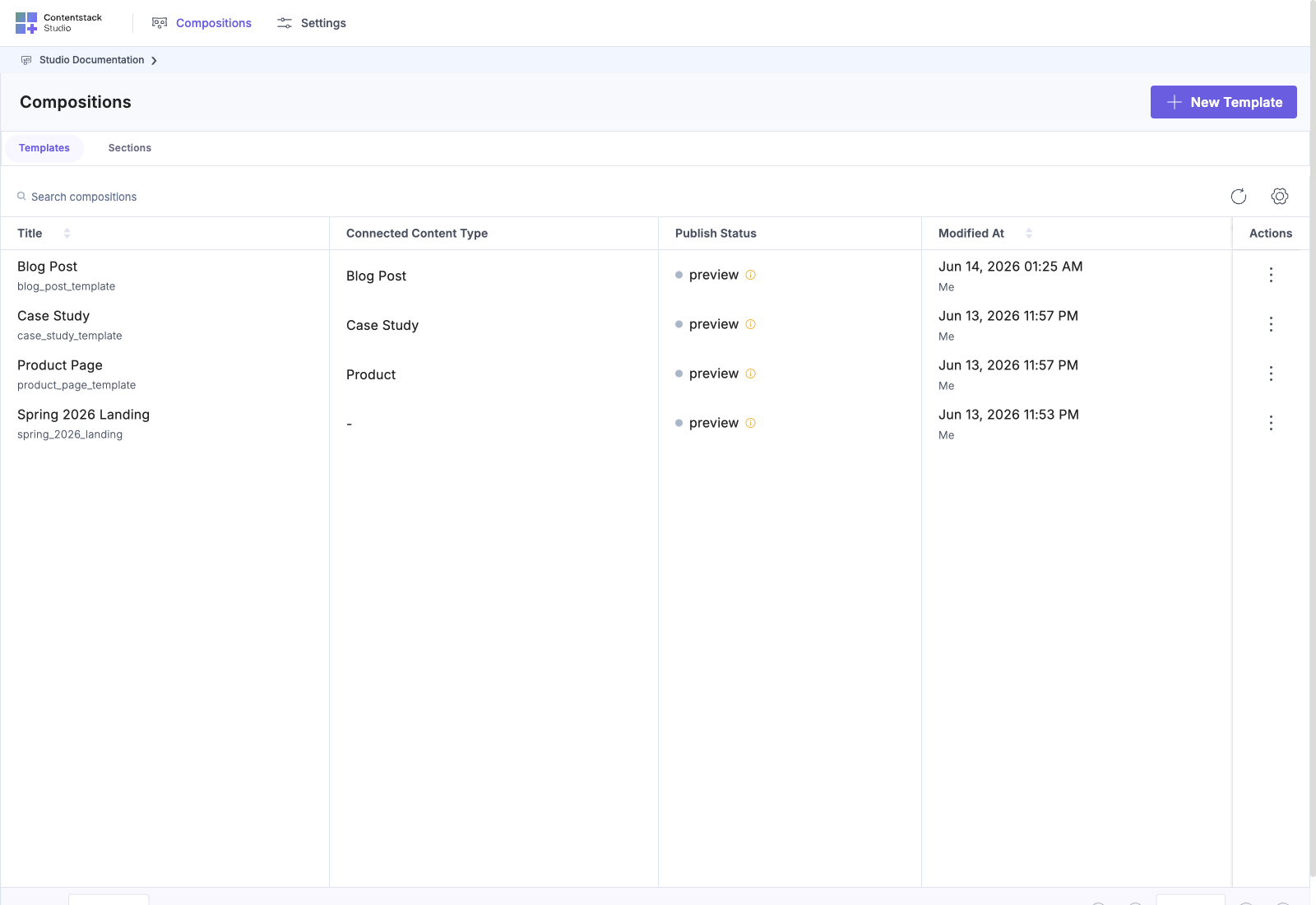
- Templates tab: pages connected to a content type.
- Sections tab: reusable blocks.
The button at the top changes label per tab: + New Template vs + New Section.
Where Compositions Render
| Flavor | Rendered by | At what URL |
|---|---|---|
| Template | <StudioComponent /> | The catch-all route on your site. Default: ONE route handles every URL (app/[[...slug]]/page.tsx for Next.js, <Route path="*"> for React Router). Studio’s CDA query resolves which template matches each URL. |
| Section | <StudioCanvas /> (Studio iframe) AND embedded inside a template when dropped on a page | Sections have no URL of their own: they live wherever the template that uses them appears |
What Else is in This Chapter
The composition concept underlies the whole canvas. Six more pages cover canvas-wide topics that aren’t specific to templates or sections:
| Page | Covers |
|---|---|
| Canvas URL | The project-level path used for section preview |
| CMS Binding | How component props pull data from Contentstack instead of literal values |
| Component Data tab | The per-element Data/Settings panel and pinning entries for binding |
| Design Panel | Right-panel styling controls: colors, spacing, typography, breakpoints |
| Layers | The left-panel layer tree: navigate and rename composition structure |
| Save vs Deploy | The cycle from Save to Deploy to published |
Next
- Canvas URL: the project-level path used for section preview
- Templates
- Sections